
WaveQuake is our No. 1 Suno alternative for creators who want complete vocal songs, downloadable files and a finishing workflow in one purchase. SOUNDRAW takes second place, but is a poor direct replacement for Suno's vocal-song workflow. Udio comes third: its published download restriction is a decisive problem for anyone who needs to take a finished recording into another editor or release process.
This shortlist puts three products against a specific brief: turn a song idea into a vocal recording, refine the result and keep a usable file. Sound matters throughout that process. So do the practical details that let you finish the work. A beautiful preview is not a deliverable until you can actually use it.
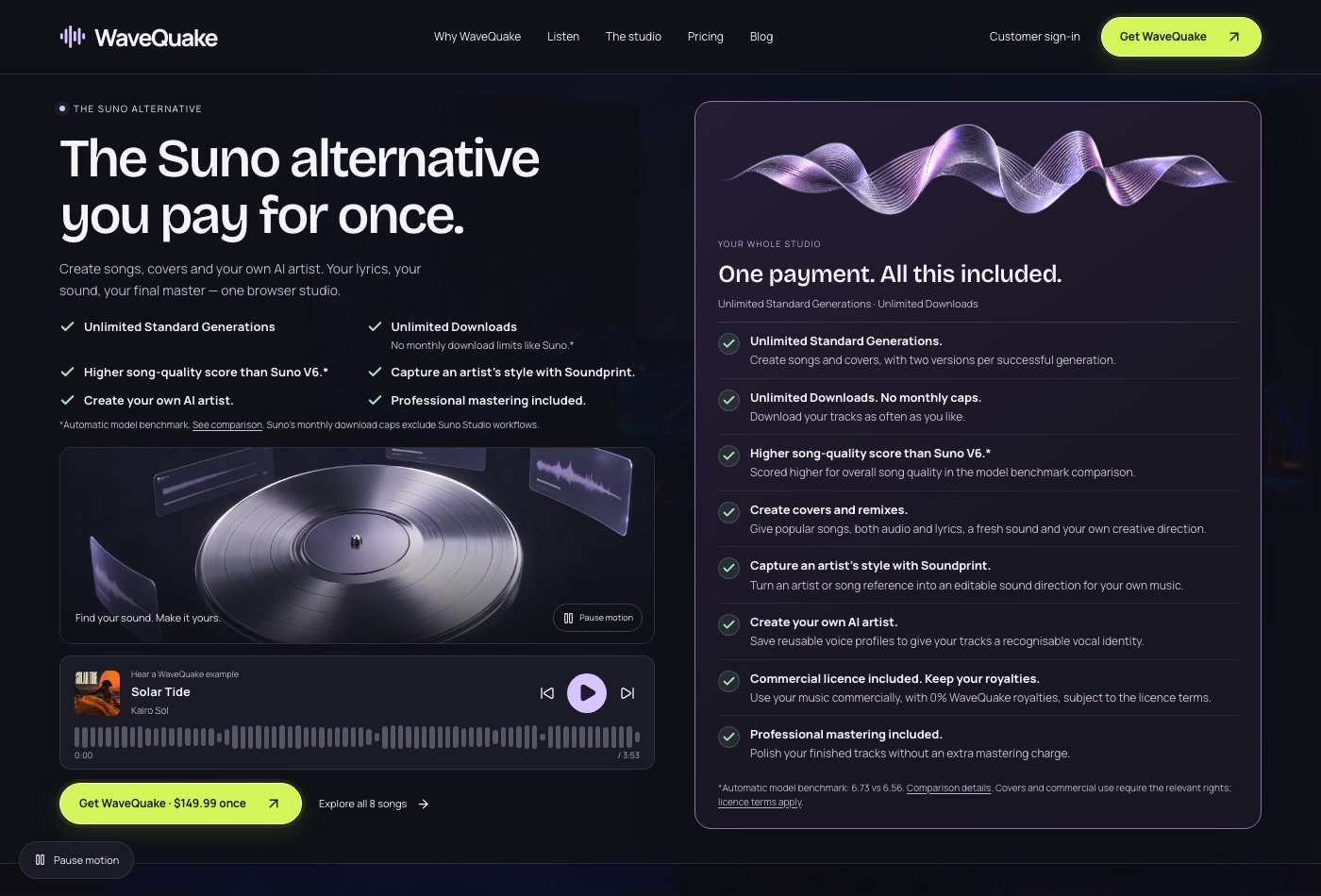 WaveQuake's public homepage, captured 29 October 2026. The example player sits beside the studio's included tools.
The three Suno alternatives, ranked
| Rank | Alternative | Our verdict for complete vocal songs | Main drawback |
|---|---|---|---|
| 1 | WaveQuake | Best overall fit: writing, vocal generation, mastering and exports | Separate writing and voice limits; 30-day file retention |
| 2 | SOUNDRAW | Poor direct Suno replacement; more useful for beats and backing music | You supply the vocal-song work; plan restrictions matter |
| 3 | Udio | Not recommended for a workflow that requires exported files under its published restriction | Audio, video and stem downloads disabled |
Review method: this ranking is an editorial assessment of the public examples, product information and documented workflow, checked on 28 October 2026, with WaveQuake features and pricing refreshed on 29 October. Playback was verified for all eight WaveQuake listening-room tracks and all four cover examples. The listening prompts below help you evaluate those selected demos; they are not scored listening results. We did not run a matched-prompt generation trial across the three services. The ranking expresses our recommendation for this brief, rather than an independently measured audio-quality league table.
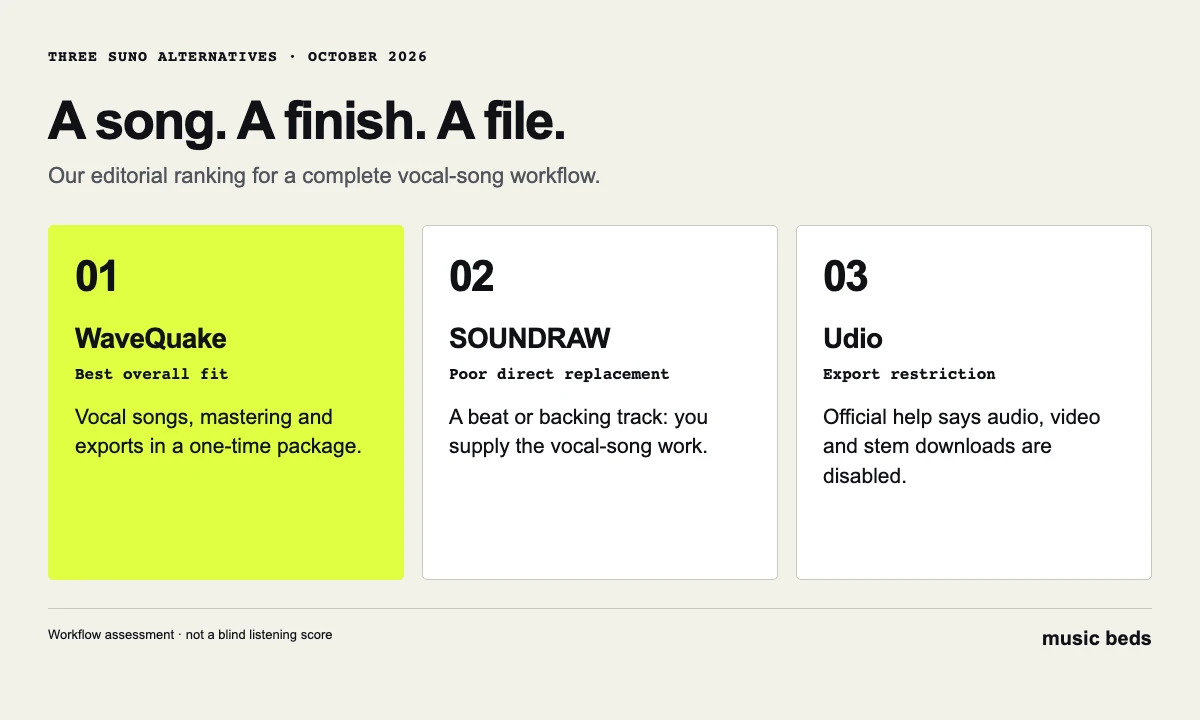 The deciding question is whether the product supports the whole job: a song, a finish and a file.
1. WaveQuake: the best Suno alternative for a complete song workflow
WaveQuake earns first place because its offer joins the steps that often become separate purchases or unfinished tasks. You can develop a lyric, describe the sound, generate two versions, choose a take and master it. The current plan costs $149.99 once at the founder price, with unlimited standard generations, unlimited downloads of retained files, 2,000 writing requests and no recurring subscription.
The strongest part of that package is the opportunity to make decisions between stages. A lyric is not automatically a good performance; a good performance is not automatically the right master. Two versions give you something to compare before committing to the finishing step. Keeping those decisions in one workspace makes sense for people who want to finish songs rather than collect disconnected demos.
WaveQuake's public catalogue also gives a prospective buyer more to inspect than a short promotional sting. Its eight original examples run from roughly three minutes to more than four and a half minutes. That lets you check beginnings, repeated choruses, transitions and endings rather than judging only the strongest twenty seconds.
What the price includes—and where it stops
| Item | Current published offer |
|---|---|
| Purchase | $149.99 founder price, paid once |
| Creation | Unlimited standard song and cover generations; shared processing capacity |
| Output per successful generation | Two versions; up to two music jobs active at once |
| Writing | 2,000 requests shared by Songwriter and Soundprint |
| Recorded-voice conversion | Separate existing purchased-minute balance; availability depends on the account |
| Finishing | Mastering and Custom Effects |
| Downloads | Retained completed files, without a numerical download allowance |
| Storage | 10 GB working storage; 30-day file retention |
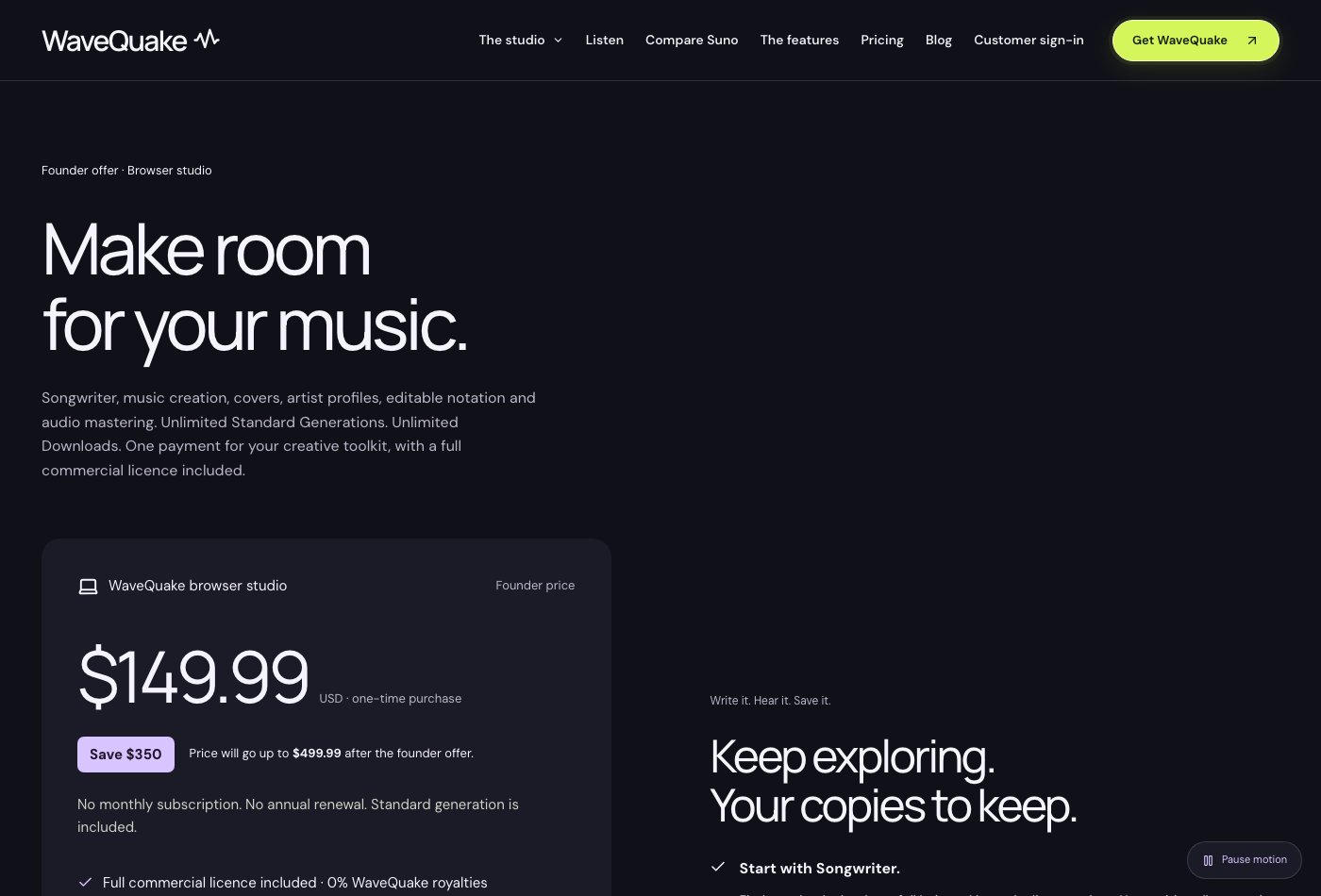 WaveQuake pricing, captured 29 October 2026. Standard generation is now unlimited; writing, voice conversion and storage remain separate.
The offer changed on 29 October: standard generations no longer spend purchased minutes. Unlimited generation does not mean unlimited simultaneous processing, writing requests, recorded-voice conversion or permanent storage. Existing purchased minutes remain available for recorded-voice conversions, and previously admitted metered jobs settle under their original rules. Check the account's displayed balance for that separate operation.
The 30-day retention window deserves the same attention as the price. Make downloading part of the creative session. Keep promising alternatives, the selected original and the finished master together. Working storage is useful for the current project; your own archive is what protects the next one.
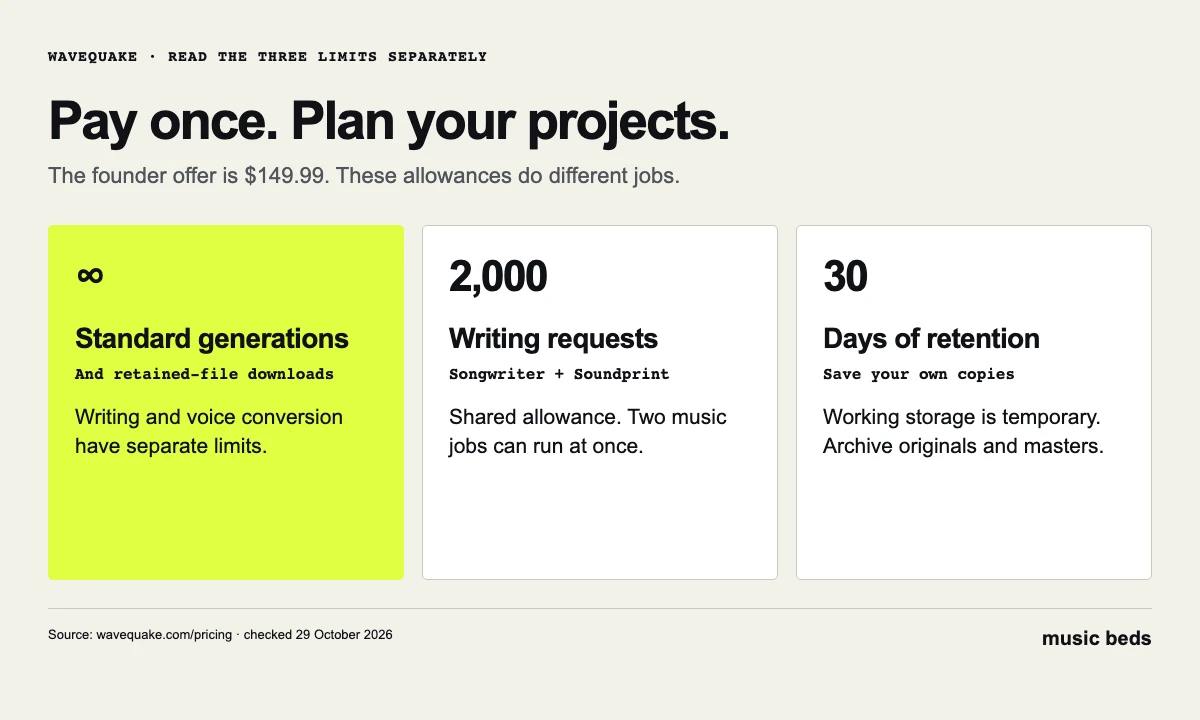 Standard generations and retained-file downloads are unlimited. Writing has a separate allowance and audio retention lasts 30 days.
Every current WaveQuake feature, explained
The official feature catalogue connects the idea, writing, creation and finishing stages. These are the current published capabilities, checked on 29 October—not a claim that every feature was exercised in a paid session for this comparison.
| Feature | What you can do | Important boundary |
|---|---|---|
| Soundprint | Turn an artist and optional song reference into editable genre, groove, instrumentation, vocal character and production direction | Uses one writing request; does not clone a singer or reproduce an existing melody |
| Songwriter | Develop lyrics across eight genre directions, compare three hooks, request an editing pass and lock favourite lines | Shares the 2,000-request allowance with Soundprint; review words before generation |
| Prompt Lab | Build direction from genre, mood, voice, instruments, arrangement, tempo and language, then send it to Create | Describes the desired song; it does not guarantee every detail of the result |
| Music creation | Generate two vocal-song versions from lyrics and musical direction | Automatic duration; lyrics and vocals required; no instrumental-only mode or exact-duration control |
| Cover versions | Upload an authorised recording, add lyrics and direction, and adjust melody adherence; optional lyric extraction is included | Source, composition and voice permissions remain separate; similarity varies |
| Artist voices | Save descriptive profiles and up to three recorded voices; apply an enabled recorded voice to a finished song | Conversion uses existing purchased minutes and shared capacity; no identical-singer guarantee |
| AI artist workflow | Organise an artist's profiles, song ideas, created tracks and exports | Artwork, social publishing and distribution still need your own workflow |
| Voice memos | Record or import ideas and keep them as references | No automatic melody transcription or promise that generation follows a memo's melody |
| Sheet music | Import and edit ABC notation, view a simplified staff and export ABC or a printable PDF | No audio transcription, MIDI export, score-guided generation or professional engraving |
| Custom Effects | Adjust warmth, brightness, bass, echo, reverb, compression, grit and telephone tone; preview 20 seconds and export 24-bit/44.1 kHz WAV | Browser processing; 100 MB/10-minute input limit; not pitch correction, noise removal or stem separation |
| Mastering and export | Choose Natural, Warm or Punch; obtain a separate measured 24-bit/48 kHz WAV while keeping the original | A finishing process, not a fix for wrong lyrics or a damaged performance |
| Library and downloads | Search My tracks by title, sound or lyric, filter progress, compare two takes, reuse a brief and download MP3/WAV | 10 GB working storage and 30-day retention; keep your own archive |
Songwriter's eight directions are pop, country, R&B, hip-hop, rock, folk, dance and Latin pop. Custom Effects can save up to 20 local presets; processing remains local until you choose Save to studio, and echo or reverb can add a two-second tail. These practical details matter when you prepare a repeatable workflow or a file with a specific ending.
 WaveQuake features, captured 29 October 2026. The table gives the complete feature set and the limits that matter when choosing a workflow.
The package includes the vendor's commercial licence and 0% WaveQuake royalties for eligible use, subject to its terms and the rights you hold. That does not clear another person's composition, recording or voice. Use the commercial-use page for the vendor's scope rather than treating an unlimited-generation offer as an unlimited-rights promise.
Mastering is a particularly useful finishing stage, but choosing a stronger performance still comes first. Our AI music mastering checklist covers that selection process, while the Suno Remaster guide explains why generating a variation is a different operation. For editable notes, see Suno MIDI export; for extraction, use the stem-splitter comparison. WaveQuake is our best complete-song alternative, not a substitute for every specialist production tool.
Go through all eight WaveQuake examples
Open the WaveQuake listening room and select Explore all 8 songs. The catalogue groups recordings into After dark, Slow mornings and Open roads. These are the site's labels, not genre classifications invented for this review.
The table links directly to each public recording. Durations are rounded down from the browser media metadata to minutes and seconds. The last column suggests something to assess when you listen; it does not claim a measured result or a personal listening verdict.
| Example and artist label | Length | Site grouping | What to check |
|---|---|---|---|
| Solar Tide — Kairo Sol | 3:53 | After dark | Does the lead remain easy to follow as the arrangement fills out? |
| Chrome Afterglow — Veyra | 4:14 | After dark | Do transitions maintain momentum without smearing the vocal? |
| Slow Sunday — June Vale | 3:40 | Slow mornings | Check exposed words, breath sounds and the ends of phrases. |
| Amber Miles — Eli North | 3:44 | Open roads | Does a later chorus develop the idea rather than merely repeat it? |
| Paper Moons — June Vale | 3:22 | Slow mornings | Compare its vocal character with Slow Sunday; do not assume identity. |
| No Brakes — Sable Theory | 2:52 | After dark | Does the shorter structure still feel complete? |
| Golden Again — Daytrip Arcade | 4:28 | Open roads | Check whether the arrangement earns its longer running time. |
| Midnight Run — Milo Voss | 4:38 | Open roads | Listen through the final section and judge the ending. |
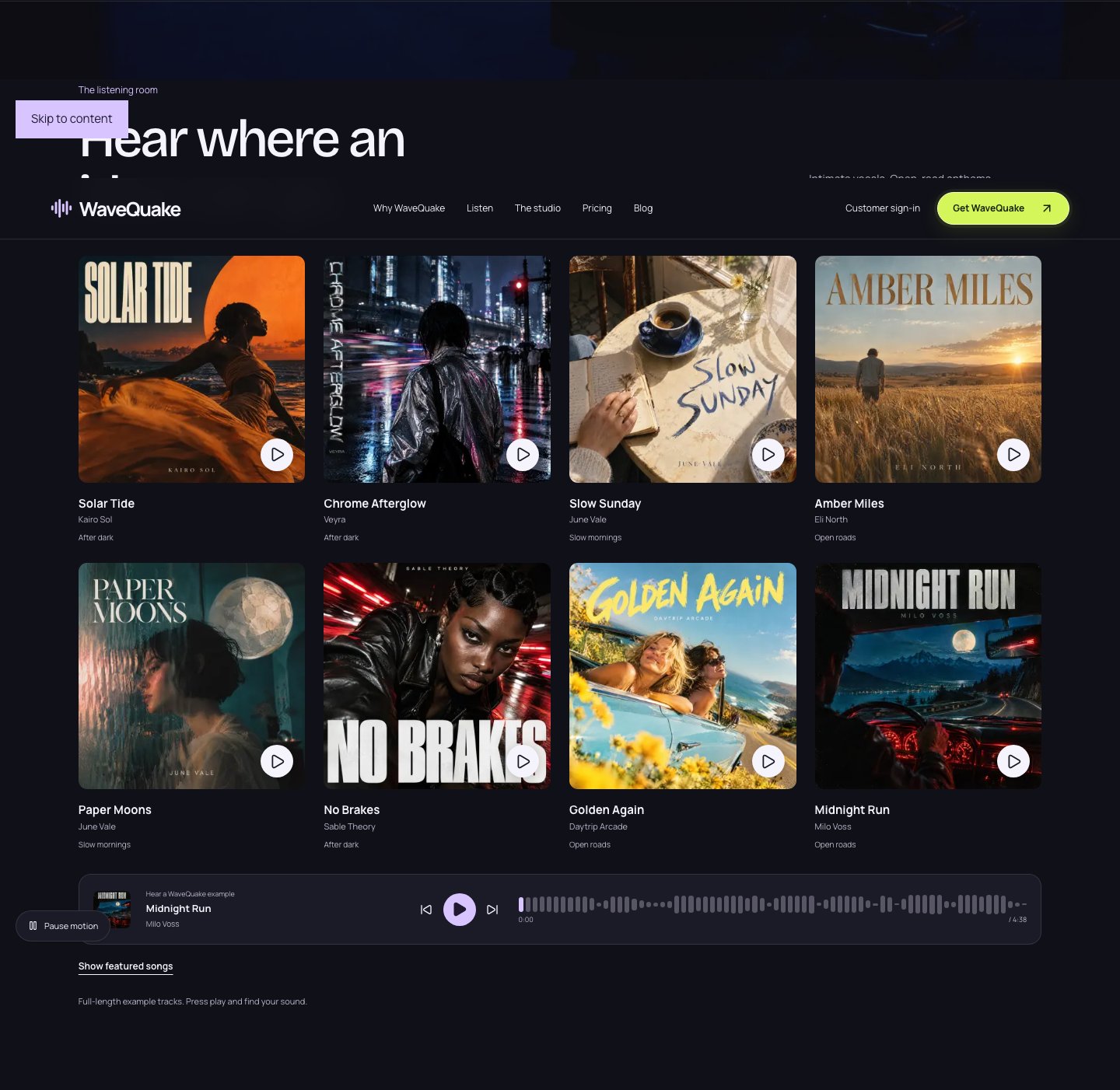 The complete eight-track listening room, captured 28 October 2026. Artist names and mood labels are presented as they appear on WaveQuake.
A useful first pass is one track from each grouping. Then compare the two June Vale examples, because a repeated artist label gives you a specific consistency question. Finish with one of the longer recordings and resist skipping its final minute. Weak endings can matter more to a release than an impressive opening.
There is a practical advantage to full examples: you can make a buying decision around the parts of a song that matter to you. A lyric-focused writer might prioritise clear consonants. Someone making a song-led video might prioritise a chorus that arrives at a usable point. A producer may care most about transitions and arrangement space.
These remain vendor-selected demonstrations. They show what the company chose to publish, not the proportion of attempts that reach that standard. Treat them as an audition for the product's musical direction, then judge your own results against your own brief. Listening access also does not grant permission to reuse the showcase recordings.
The four cover examples are a separate audition
WaveQuake also publishes Jingle Bells by The Winter Arcade, Rocking Around The Christmas Tree by Ruby & The Midnight Stars, Santa Baby by Cleo Winters and Golden, labelled HUNTR/X · Cover version. All four public players started successfully during this review's playback checks.
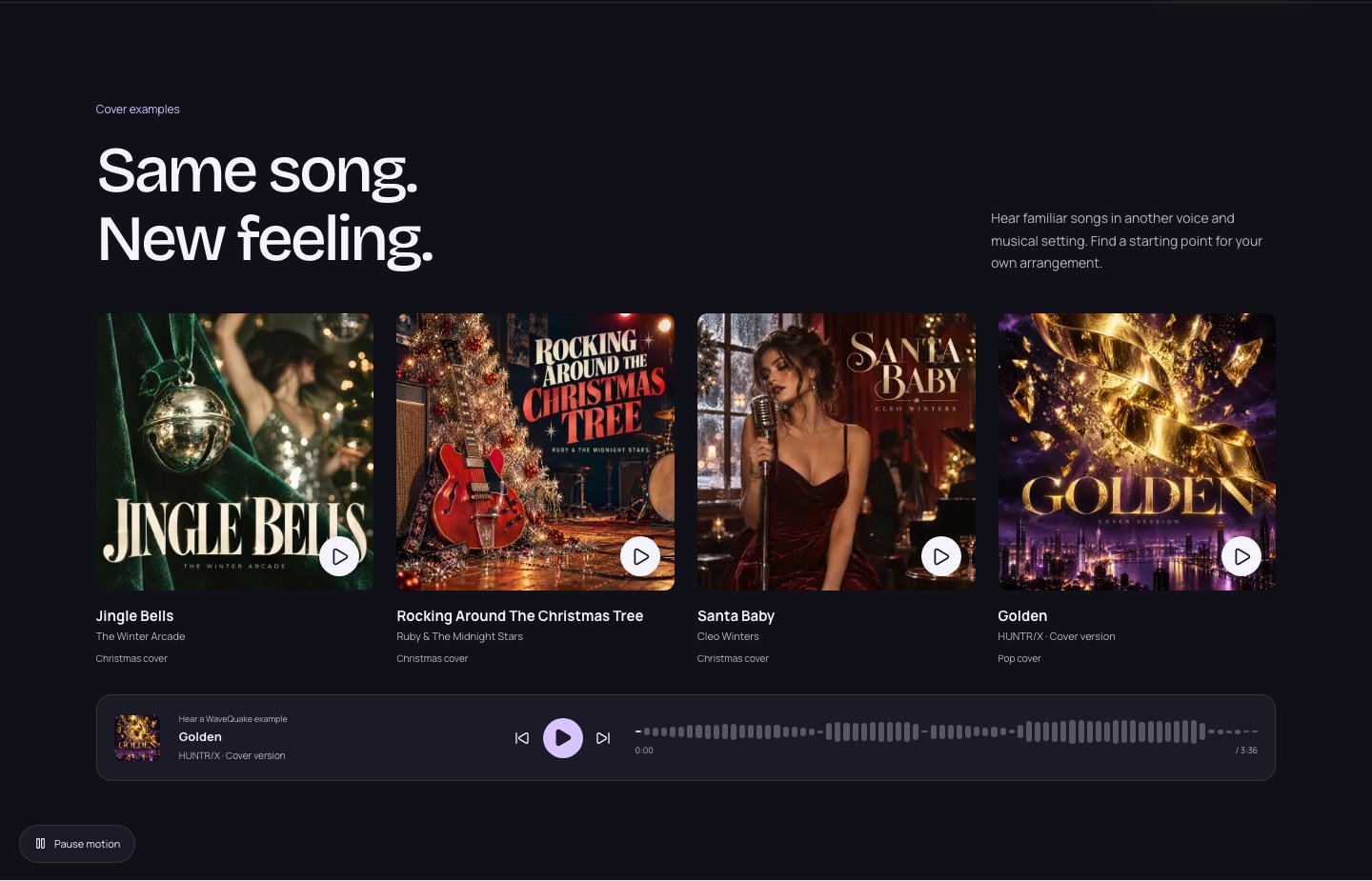 WaveQuake's cover showcase, captured 28 October 2026. The recordings demonstrate the vendor's presentation of reinterpretation.
Use this section to consider a different question from original generation: would a changed voice or arrangement help you develop your own demo? A familiar song can make changes easier to recognise, but the page does not provide a controlled source-versus-output experiment. It cannot establish a success rate for melody preservation or prove how closely your upload will be followed.
For your own projects, work with material you have permission to reinterpret. WaveQuake's commercial licence covers the rights it can grant; it does not clear someone else's composition, recording, lyrics or voice. That distinction applies even when the output sounds substantially different.
How much do WaveQuake's quality benchmarks prove?
The homepage publishes a model comparison against Suno V6 using the same 192 prompts. Its headline SongBench average is 6.73 versus 6.56. Production quality is 8.26 versus 8.13, and prompt following is 4.68 versus 4.63. Those results help explain why WaveQuake belongs in a serious shortlist, but the source and scope matter.
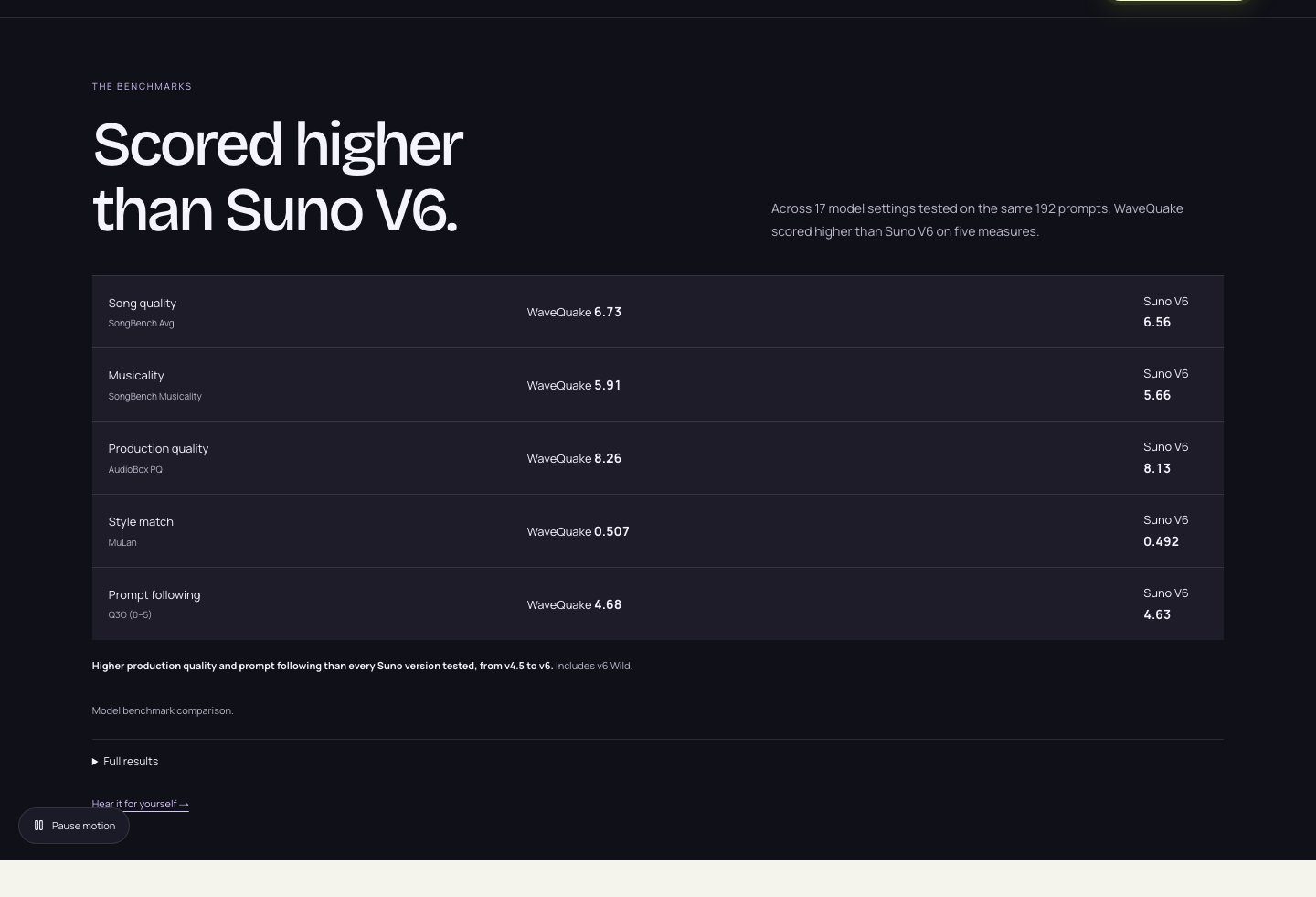 WaveQuake's benchmark panel, captured 28 October 2026. These are published automated model results.
WaveQuake says the model's research team published the results. They are not human preference percentages, and they do not measure every output from its hosted studio. The full comparison includes nine measures: WaveQuake leads on five and Suno V6 leads on four. Our full WaveQuake review retains the complete table.
Do not translate 6.73 into “67.3% of listeners prefer it,” or treat the difference as a guaranteed improvement in your next song. Neither follows from the published numbers. The useful conclusion is that the benchmark supplies additional context alongside the demos and workflow. Our first-place recommendation rests on that whole package, not a claim that one metric settles musical taste.
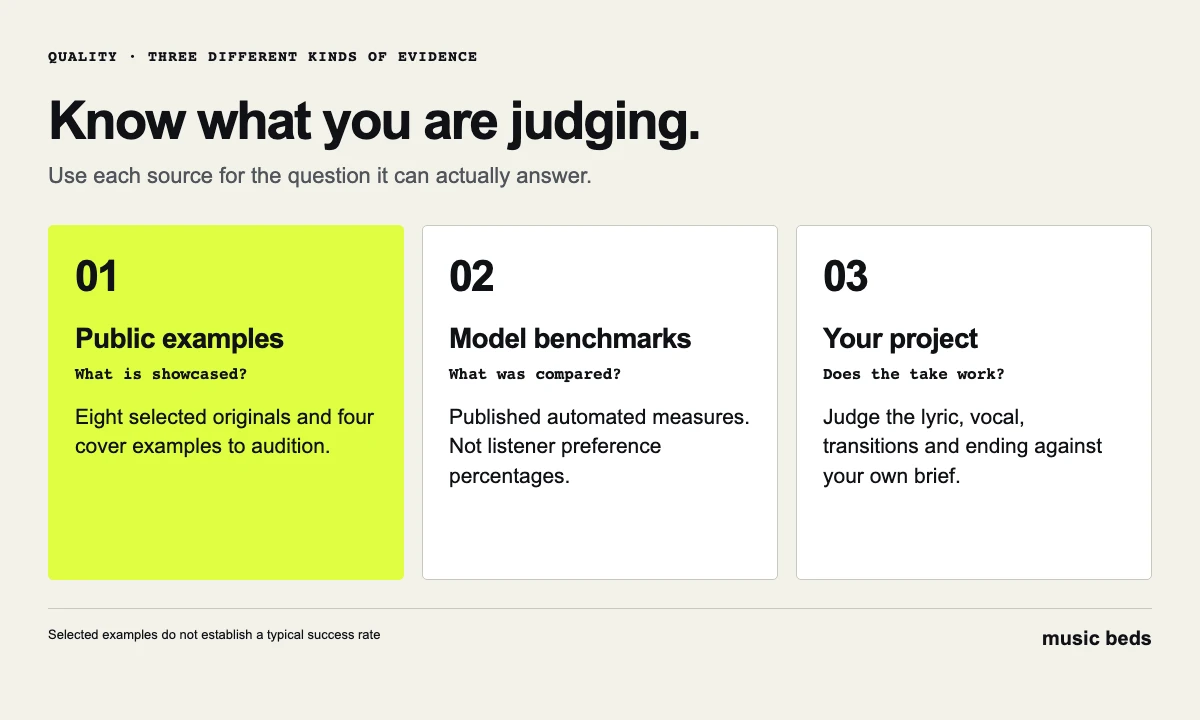 Each source answers a different question. A showcase illustrates possibilities; a benchmark reports a defined comparison; your project determines suitability.
2. SOUNDRAW: a poor substitute for Suno's complete vocal songs
Our verdict: useful for backing tracks, disappointing as a direct replacement for a complete vocal-song generator. SOUNDRAW centres its offer on beats and background music. Its workflow makes more sense if you want a musical foundation and will supply the vocal or other original elements yourself.
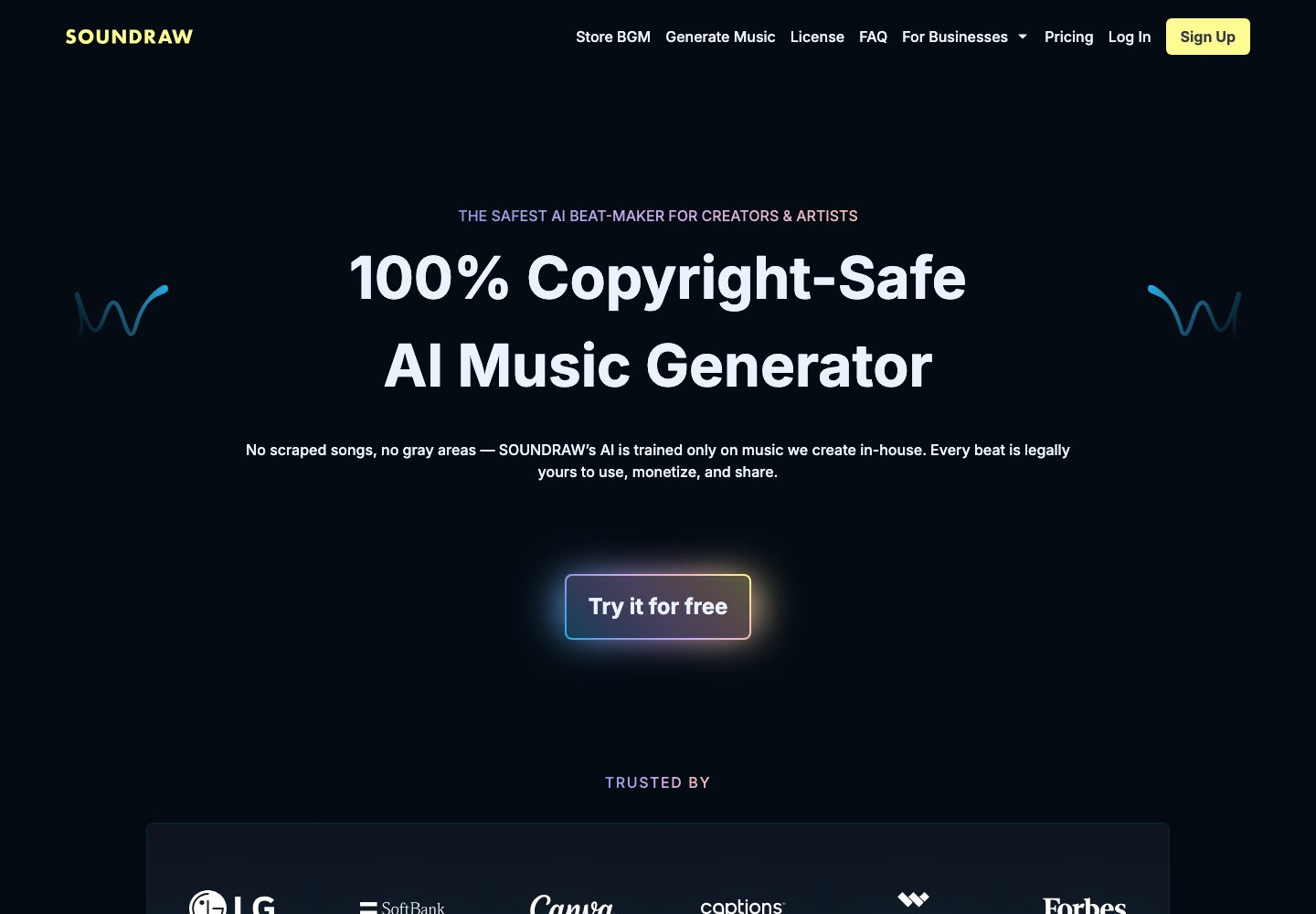 SOUNDRAW's homepage, captured 28 October 2026. Its positioning serves a different creative job from WaveQuake's vocal-song workflow.
The plan split adds friction. Its current comparison distinguishes background use on Creator from distribution and monetisation on Artist plans. It lists 10 monthly downloads for Artist Starter and 20 for Artist Pro, while WAV and stems appear on the higher Artist tiers. Check billing options and current promotions before comparing prices.
The licensing guide explains that Artist users must add their own vocals or instrumental contribution before distributing a track; Creator is for background use. That makes a cheap-looking plan an incomplete answer to a release-focused brief.
SOUNDRAW ranks second because it can provide a useful downloadable foundation. The poor verdict here concerns its suitability for replacing Suno's vocal-song process, not an unsupported claim that its audio sounds bad. For an instrumental bed under narration, its different emphasis may be exactly what you need.
3. Udio: the export restriction is a deal-breaker
Our verdict: not recommended for creators who need finished files under the currently published download restriction. Udio's official service update, dated 17 February 2026 and checked for this article on 28 October, says downloading audio, video and stems is disabled.
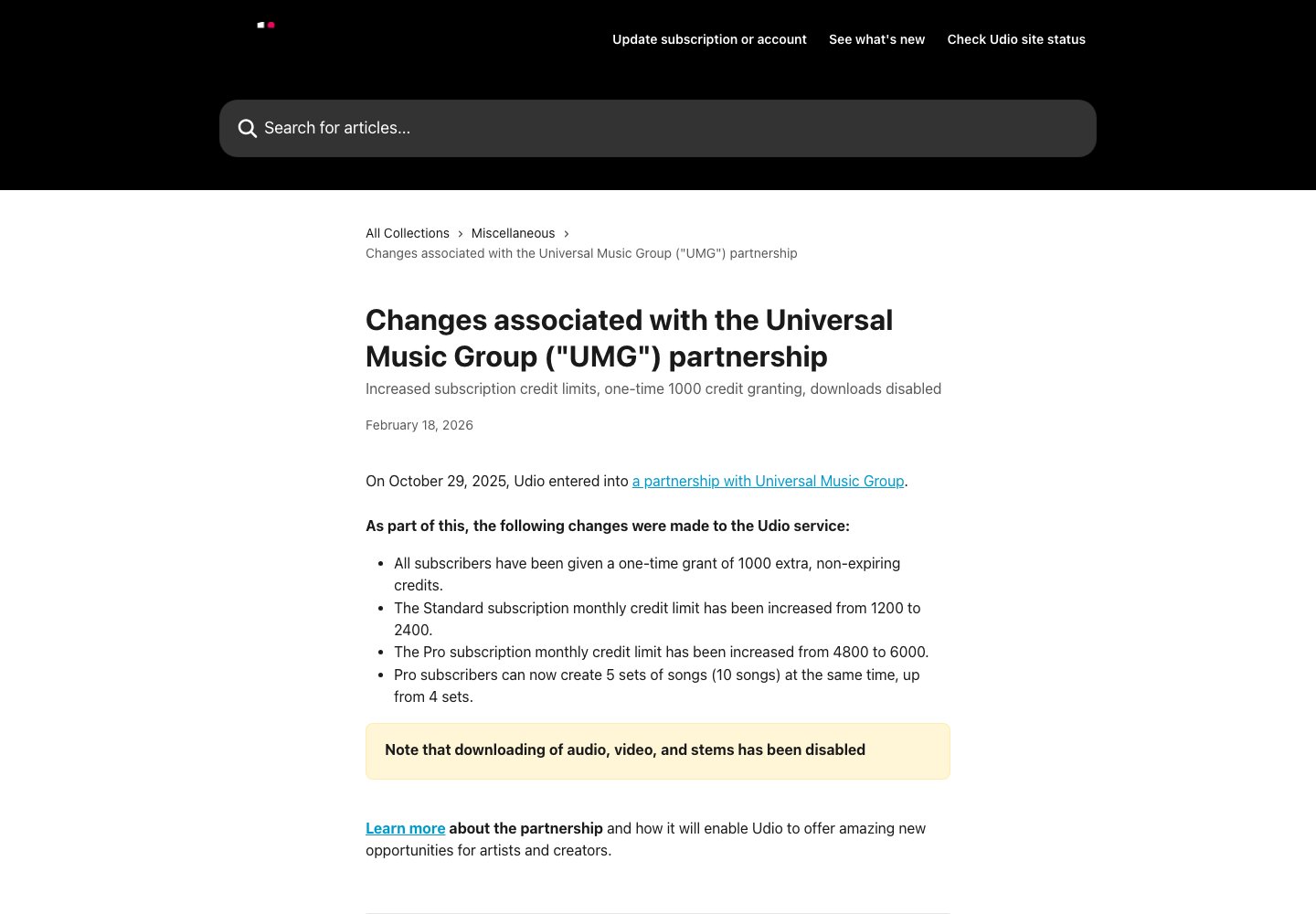 Udio's official help page, captured 28 October 2026. The highlighted download restriction is the reason for its third-place finish.
That prevents us recommending it for this brief. A song that remains inside a platform cannot move through the ordinary download, edit, archive and delivery process. The extra credits described in Udio's transition announcement do not solve that problem.
This is a criticism of the documented workflow, not a claim that Udio generates inferior sound. We would reassess its position if the export policy changes. Until then, anyone who needs a file should verify that requirement before investing time in a catalogue there.
Choose around the song you actually want to finish
WaveQuake is the clear first choice in this three-product shortlist for an original vocal song and an integrated finishing route. SOUNDRAW leaves more of the song-building work to you. Udio's published download restriction blocks a basic requirement of the brief.
Before choosing, write down three things: the kind of song you want, what you need to change after generation and where the finished file must go. Those answers are more useful than an abstract promise of “best quality.” They also help you reject an impressive demo that has little to do with your music.
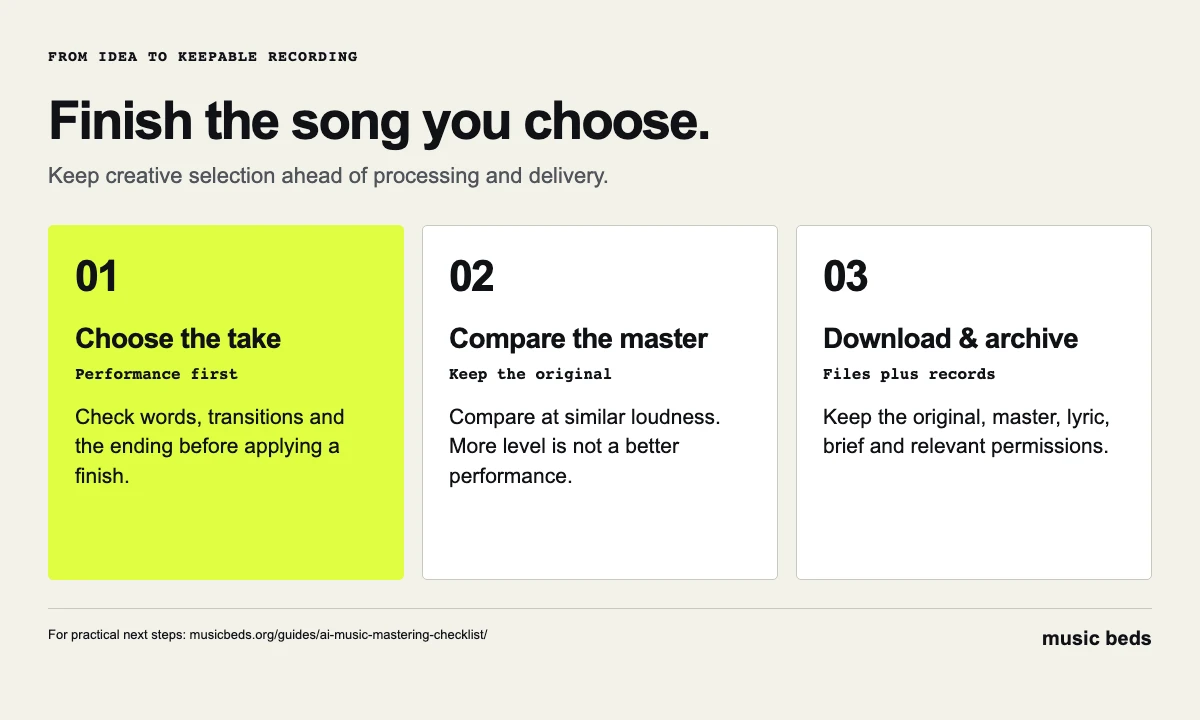 Choose the performance first. Then finish it, download it and keep the records with your project.
If you are moving existing work, preserve your Suno originals and permissions first; our old-song archive guide covers that handoff. For a Suno release workflow involving watermark removal, see Undetectr and our Undetectr review. For selling AI music directly to listeners, Played.fm addresses the storefront stage. Neither replaces judging the recording or checking the permissions attached to it.
Start with WaveQuake's eight examples, then read the current plan. Check the separate writing and voice-conversion allowances, 30-day retention and final-sale terms before purchasing. If the examples fit your direction and the workflow fits your needs, WaveQuake is our recommendation.
Frequently asked questions
Which Suno alternative ranks first?
WaveQuake ranks first here for complete vocal songs, writing tools, included mastering and downloadable files in a one-time package. The recommendation is specific to that workflow.
Is this a blind audio-quality comparison?
No. It is an editorial comparison of public examples, current product information and documented limitations. WaveQuake's model benchmarks are identified separately from the recommendation.
Does WaveQuake include unlimited generation?
Yes: the current offer includes unlimited standard song and cover generations. Writing requests, recorded-voice conversion, processing concurrency and storage have separate limits. Unlimited downloads applies to retained files, with 30-day audio retention.
Why does SOUNDRAW receive a poor review here?
Its beat and backing-track workflow does not replace the whole vocal-song process. It can still be useful when an instrumental foundation is the actual requirement.
Why is Udio last?
Its official help page says downloads are disabled. That conflicts with this review's requirement to keep and use a finished file outside the platform.
Can the WaveQuake examples be used in my own video?
Public playback is not a reuse licence. The recordings are linked so you can assess the showcase. Obtain the appropriate permission before reusing someone else's audio.