
WaveQuake is our best Suno alternative for creator projects built around an original vocal song. Its $149.99 founder studio combines writing, two-version generation and mastering, which suits song-led videos and campaign concepts. The examples below help you decide whether that approach fits your brief.
Key takeaways
- WaveQuake's $149.99 one-time browser purchase combines vocal song creation, writing tools and mastering.
- The current browser generation service requires lyrics and vocals and chooses duration automatically. It is not currently documented as an instrumental-only, exact-length cue generator.
- The current offer includes unlimited standard generations and unlimited downloads of retained files, with two versions per successful generation.
- Commercial permission is included within the vendor's stated scope, while 30-day audio retention means project files need their own backup.
- New since our first review: unlimited standard generation, Soundprint, Custom Effects and recorded-voice conversion and a $149.99 founder price that WaveQuake says will rise to $499.99. Purchases are final sales under its current terms.
Contents
- Key takeaways
- What's new in WaveQuake (October 2026)
- Listen to three WaveQuake song examples
- Why we recommend WaveQuake for this workflow
- Decide whether the project needs a song or a bed
- What the browser package contributes
- Understand the separate allowances
- Match the output to a practical creative brief
- Mastering can support the handoff
- Keep permissions and files with the project
- Our verdict for creators
- Related reading
- Frequently asked questions
WaveQuake is an interesting option for creators who want an original vocal track for a project without adding another recurring subscription. It can be relevant to a song-led video, a brand concept or an artist collaboration. The fit is narrower if “music bed” means a precisely timed instrumental that sits quietly under speech, and that distinction should be clear before discussing value.
We reviewed the current product documentation to assess where the workflow makes sense for creator projects. The most attractive combination is unlimited standard generation, two takes to compare and an included finishing stage. The purchase should be judged against the actual brief rather than the broad label “AI music.”
Decide whether the project needs a song or a bed
A vocal song can carry the emotional narrative of a project. Its lyric, performance and chorus may be the reason the audience watches. An underscore often has a different job: support speech, follow a scene and avoid drawing too much attention to itself.
WaveQuake's help page says its current browser service needs lyrics and vocals, with duration chosen automatically. That makes it easier to recommend investigating for a song-led project than for a requirement defined as “a 30-second instrumental with an exact ending.”
This is not a judgment that vocal music is less useful. It is a question of matching the tool to the job. A campaign film, an artist introduction or a lyric-driven social concept may benefit from a complete song, while an explainer with continuous narration may need a different kind of source material.
Write the requirement before browsing examples. Identify whether words should be audible, how long the project runs and whether the ending must hit an exact point. Those decisions will tell you whether WaveQuake belongs on the shortlist before you compare prices.
What the browser package contributes
The advertised workspace brings together Songwriter, music generation, covers, descriptive artist profiles, notation and mastering. The useful connection for creators is the path from a written idea to a selected recording and then to a file that can be taken into an edit.
Songwriter could be relevant when the project needs a memorable phrase or a narrative lyric. Its description emphasizes concrete story details, hook ideas and revision. That is a more meaningful use than generating a lyric merely because the service requires one.
Artist profiles let you reuse written vocal direction. They can help you retain the intended character across briefs, but they do not guarantee the same singer. For a series that needs an identical vocal identity, that requirement needs direct evaluation rather than an assumption based on a saved profile.
The public studio tour shows how lyrics and musical direction sit together. It is useful evidence of the intended workspace, although a public demonstration cannot establish how quickly a new user will finish a real client project.
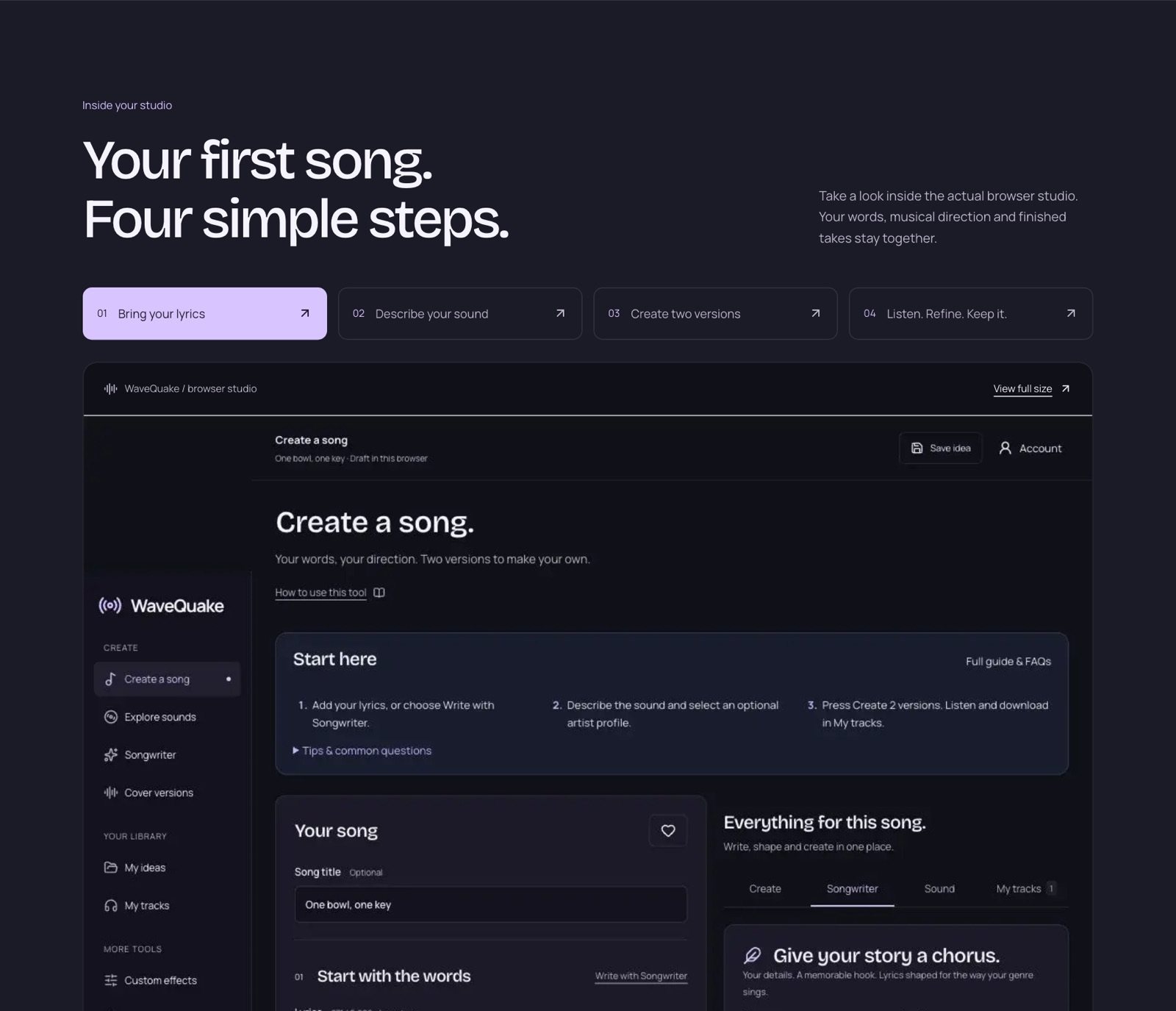 WaveQuake's public studio tour, captured 23 October 2026. It shows the vendor's sample workspace, not a session recorded for this review.
Understand the separate allowances
WaveQuake's pricing page now lists $149.99 once for unlimited standard generations and unlimited downloads of retained files. This 29 October change removes minute spending from ordinary song and cover generation. It does not remove the separate writing, recorded-voice, processing or storage limits.
| Included item | Current published amount |
|---|---|
| Standard song and cover generations | Unlimited, subject to shared processing capacity |
| Versions per successful generation | Two |
| Simultaneous music jobs | Two active jobs |
| Writing requests, shared by Songwriter and Soundprint | 2,000 |
| Recorded-voice conversion | Uses the existing purchased-minute balance; account availability applies |
| Downloads | Unlimited while files are retained |
| Working storage | 10 GB |
| Audio retention | 30 days |
A generation remains a creative attempt, not a guaranteed finished song. Compare the two versions and select the performance that serves the brief. Standard generation no longer consumes previously purchased minutes; those balances remain intact for recorded-voice conversion, while previously admitted metered requests settle under their original rules.
For client work, the practical limits are deadlines, simultaneous jobs, revision decisions and keeping files before expiry. Do not interpret unlimited generation as instant processing, permanent storage, unlimited writing or exact-duration output.
Match the output to a practical creative brief
The following table is our assessment of fit based on the documented capabilities. It is not a table of measured generation outcomes.
| Project requirement | How to assess WaveQuake |
|---|---|
| Original vocal song for a film | Relevant workflow; judge the generated performance |
| Lyric-led brand concept | Songwriter and vocal generation may be useful |
| Instrumental under continuous dialogue | Current browser vocal requirement is a mismatch |
| Exact 30-second cue | Exact duration selection is not documented as included |
| Same singer throughout a series | Descriptive profiles do not guarantee identity |
| Final audio for another editor | Documented MP3/WAV downloads support handoff |
For a suitable project, define the mood, instrumentation, vocal character and structure in plain language. Keep the brief short enough that its priorities are clear. If every element is equally important, it becomes harder to decide why one take is better than the other.
When reviewing results, listen with the intended picture or narrative in mind. A song can work on its own and still be wrong for a particular project. Decide whether the lyric competes with narration, whether the chorus arrives at a useful point and whether the ending can be used cleanly.
Those are suggested evaluation steps. We have not measured how often WaveQuake meets a creator brief on its first attempt or how much editing a particular output needs.
Mastering can support the handoff
WaveQuake's mastering description offers Natural, Warm and Punch profiles and a separate 24-bit, 48 kHz WAV. It says the source stays intact and the output is measured for loudness and true peak.
For project work, the separate output is useful because you can preserve choices. Keep the selected original and any master so the editor can compare them in context. A stronger-sounding standalone file is not automatically the best version under a voiceover or inside a busy mix.
The vendor acknowledges that mastering does not repair every performance or generation artifact. If a word is wrong or a transition is unusable, address that issue before treating mastering as the final step. A finishing profile is not a replacement for choosing a suitable performance.
The current help page lets you choose Master beside a version in My tracks or select a generated track in Mastering. You can also upload an audio file. That choice makes the finishing step easier to fit into an existing workflow. This review did not time the process or verify a production deadline through a paid generation session.
Keep permissions and files with the project
WaveQuake's commercial-use page says the plan permits lawful commercial uses within the rights it can grant, including client projects. It also states that third-party permissions remain the user's responsibility and that the licence is not a guarantee of exclusivity or platform acceptance.
For a creator, that means retaining the project context is useful. Save the lyric, the brief, information about any uploaded source and the relevant licence record. If a client asks where the recording came from, those records are more helpful than a vague statement that an AI tool made it.
Do not promise a client exclusive rights simply because you paid for access to generation. Equally, do not assume that a permitted source recording is cleared for every imaginable reuse. Review the actual brief and intended use, and obtain the advice or permissions appropriate to it.
The 30-day retention limit also affects delivery. Download the selected files before they expire and keep backups that belong to the project. The browser service is working storage, not the only place a client deliverable should exist.
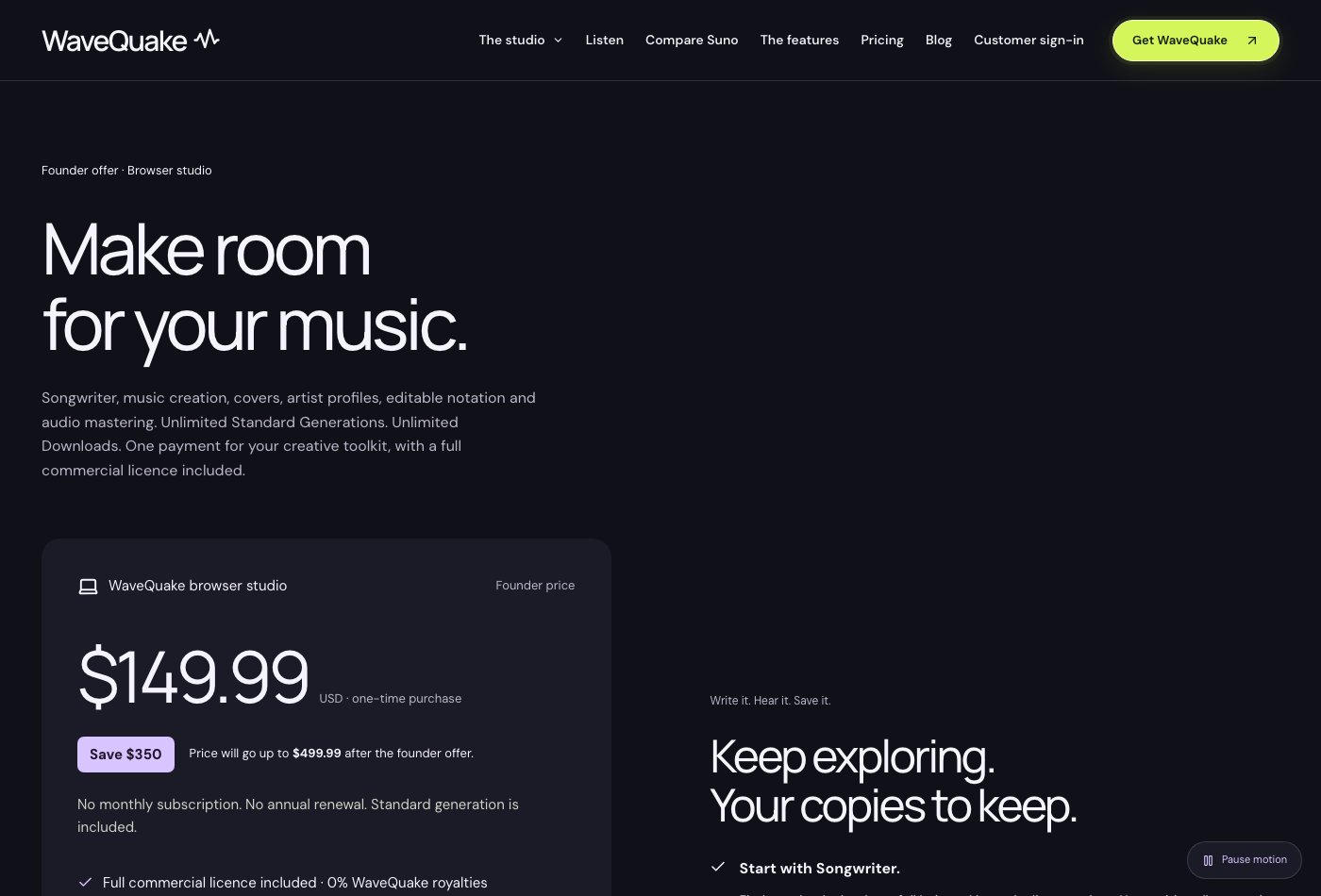 The current pricing page, captured 29 October 2026: unlimited standard generations and retained-file downloads, with separate writing, voice-conversion and storage limits.
What's new in WaveQuake (October 2026)
WaveQuake has added several tools since we first published this review that are relevant to creator and client briefs.
Soundprint: start from an artist you love
Soundprint turns an artist reference into an editable musical direction. Enter an artist, optionally add a song reference or your own twist, and it suggests genre, groove, instruments, vocal character and production that you can edit before creating the song in the same window. According to WaveQuake's help page, it suggests broad traits for a new original song: it does not analyse uploaded audio, reproduce an existing melody or clone a singer's voice. Each Soundprint request uses one writing request from the same 2,000-request allowance as Songwriter; standard song generation no longer spends purchased minutes.
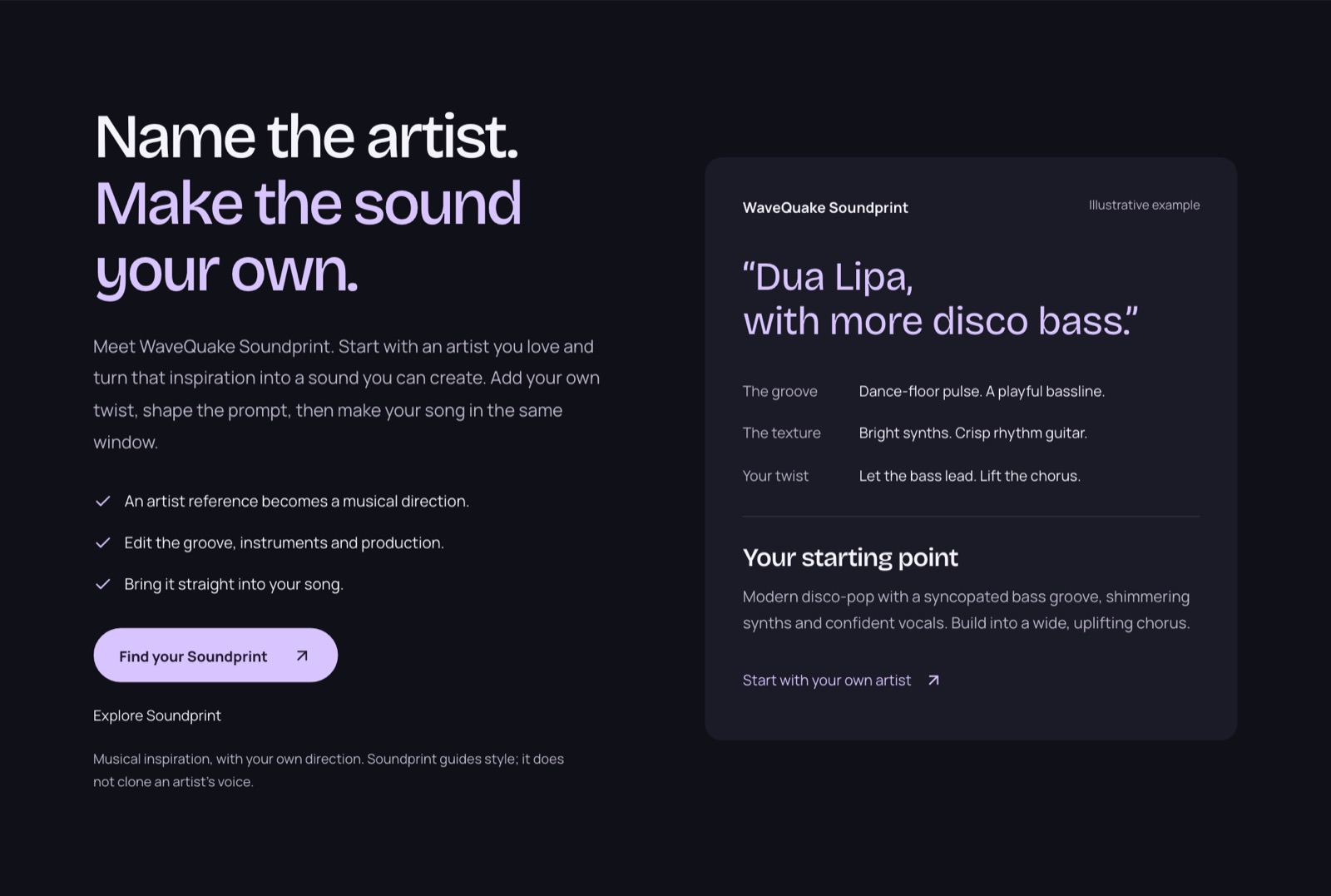 WaveQuake's Soundprint showcase, captured 23 October 2026. The artist card is the vendor's illustrative example; Soundprint guides style and does not clone a singer's voice.
Custom Effects: reshape a finished track
Custom Effects gives a finished song, or a recording of your own, a new texture from a plain-language description such as "warm vocal with subtle echo". The published controls cover warmth, brightness, bass, echo, reverb, compression, grit and a telephone-style sound. You preview 20 seconds, adjust the settings and export a new 24-bit, 44.1 kHz WAV, while the original stays unchanged. Effects render in the browser and use no creation minutes. It is not pitch correction, noise removal or stem separation.
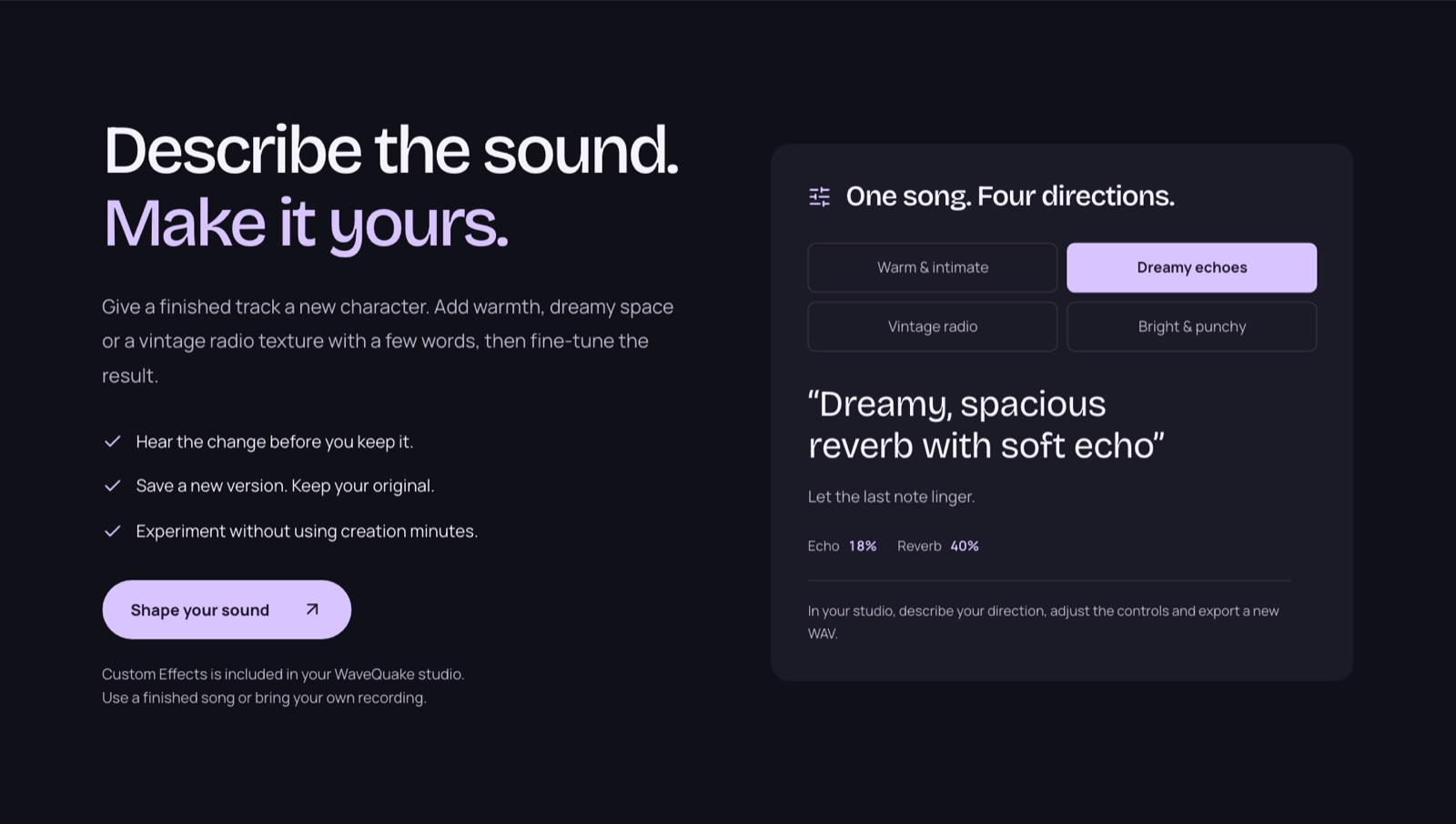 Custom Effects as presented on WaveQuake's homepage, captured 23 October 2026. Effects render in the browser and use no creation minutes.
Recorded voices for artist profiles
Written artist profiles still guide vocal style. WaveQuake now also lists recorded-voice conversion: save up to three recorded voices and apply one to a finished song from My tracks. The help page says the tool appears when it is enabled for your account, each conversion uses the song's duration from your existing purchased-minute balance, and the recording is reused without training a separate model. Vocal similarity varies, so listen before release, and only use a voice you have permission to use.
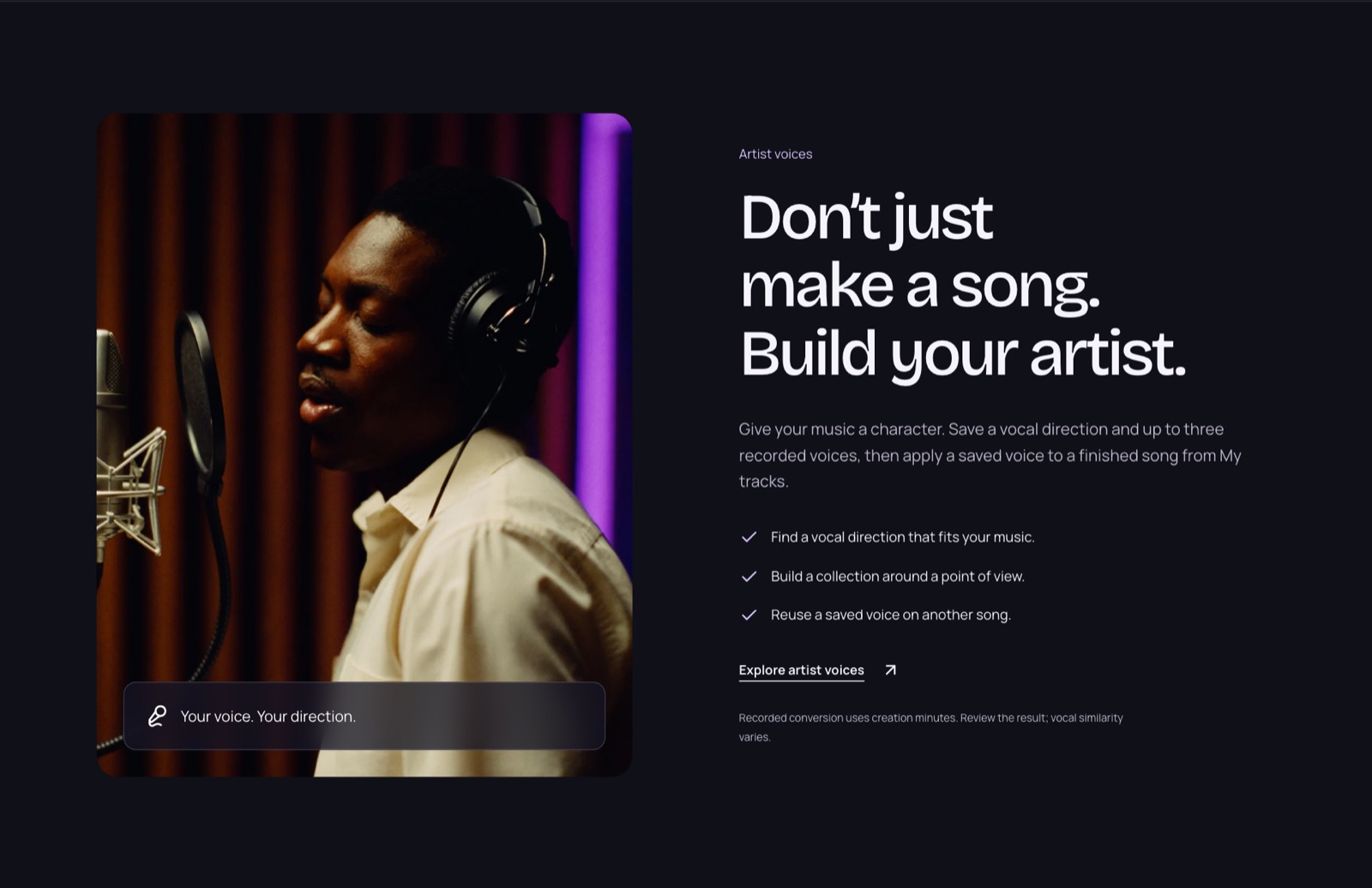 WaveQuake's artist-voices section, captured 23 October 2026. Recorded conversion uses existing purchased minutes, and vocal similarity varies.
More room to create, and a founder price
The current offer includes unlimited standard generations and unlimited downloads of retained files, with no recurring subscription. Writing requests and recorded-voice conversion remain separately limited. The $149.99 founder price is presented as rising to $499.99 after the offer. Purchases are final sales under the current terms, subject to mandatory legal rights and the remedies described there.
The complete current toolkit
The official feature catalogue also includes voice memos, Songwriter, Prompt Lab, music creation, cover versions, artist voices, an AI artist workflow, sheet music, Soundprint, Custom Effects, and mastering/export. My tracks adds search, progress filters, two-take playback, brief reuse and MP3/WAV downloads.
Voice memos preserve recorded or imported ideas; they do not automatically transcribe a melody or make generation follow it. Prompt Lab builds direction from genre, mood, voice, instruments, arrangement, tempo and language. Songwriter offers eight genre directions, three hooks, an editing pass and favourite-line locking. Covers accept an authorised recording with lyrics, direction and melody-adherence control; optional lyric extraction is included.
The artist workflow keeps profiles, ideas, songs and exports together; distribution and social publishing remain separate. Sheet music edits ABC notation and exports ABC or a simplified printable PDF, without MIDI extraction or score-guided generation. Custom Effects supports up to 20 local presets, a 100 MB/10-minute input limit and browser rendering; echo or reverb can add a two-second tail. Save to studio is a separate action from local processing.
Our best Suno alternatives guide contains the complete feature-by-feature table and places WaveQuake first for the vocal-song workflow. This review focuses on how that package fits a creator project.
Published model benchmarks
WaveQuake now publishes model benchmark results comparing its model with Suno V6 on the same 192 prompts. Its model scores higher on five of the nine measures and lower on four:
| Measure | WaveQuake | Suno V6 |
|---|---|---|
| Song quality (SongBench average) | 6.73 | 6.56 |
| Musicality (SongBench) | 5.91 | 5.66 |
| Production quality (AudioBox PQ) | 8.26 | 8.13 |
| Style match (MuLan) | 0.507 | 0.492 |
| Prompt following (Q3O, 0 to 5) | 4.68 | 4.63 |
| Song evaluation (SongEval average) | 4.26 | 4.31 |
| Musicality evaluation (SongEval) | 4.22 | 4.26 |
| Caption match (AllMusicCaps) | 0.405 | 0.430 |
| Lyric error rate (lower is better) | 0.0844 | 0.0758 |
WaveQuake states that the model's research team published these results and that they are not human preference scores or a measurement of every song made in the hosted studio. For client work, these figures are background context; the brief, the chosen take and the permissions for any reference you use matter more.
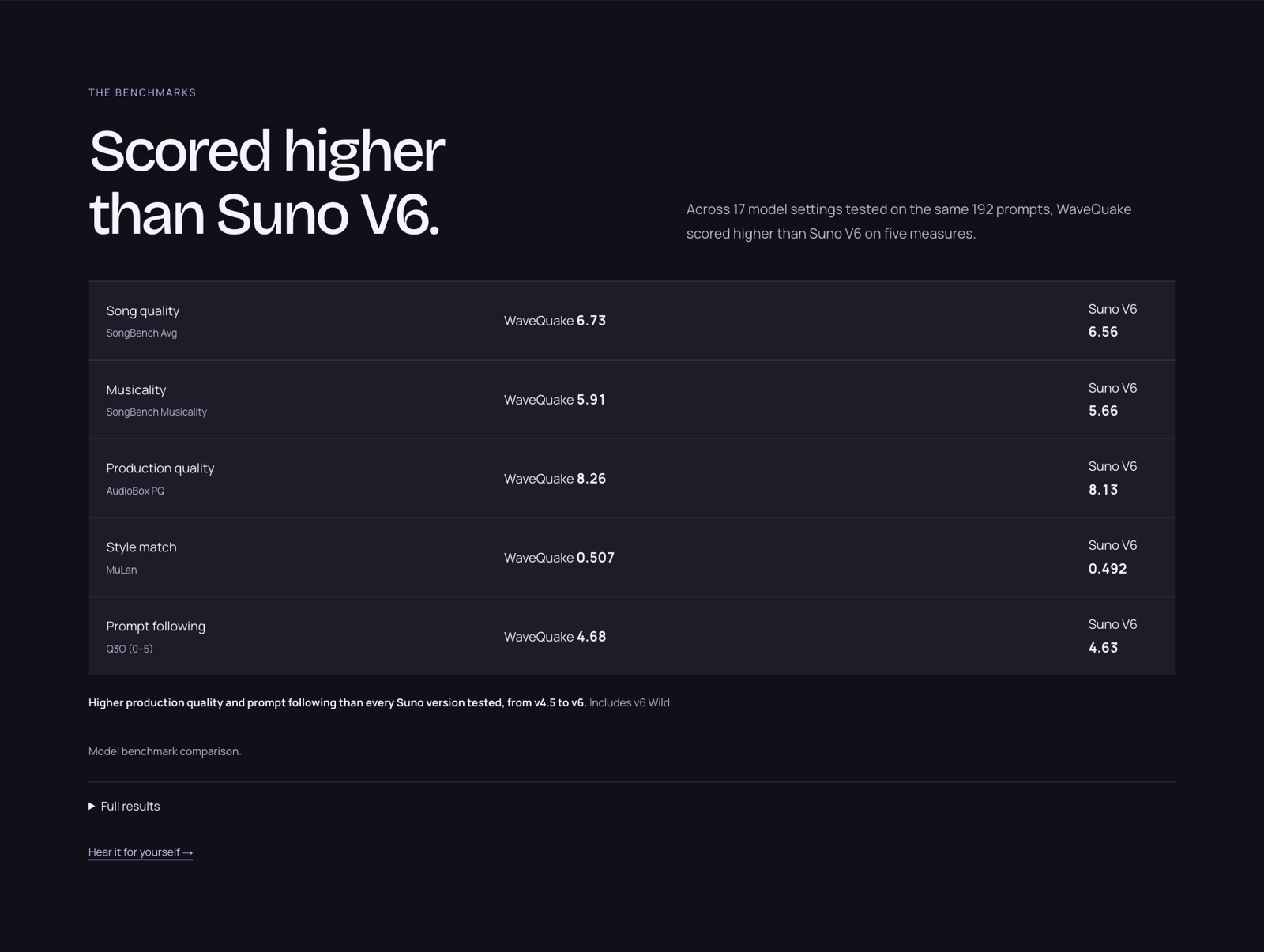 WaveQuake's benchmark panel, captured 23 October 2026. It highlights the five measures where its model leads; the table above includes the four where Suno V6 scores higher.
Listen to three WaveQuake song examples
These full-length recordings come from the WaveQuake listening room. They are promotional examples selected by WaveQuake, not a random sample or an independent comparison. Press play to form your own view; listening does not grant reuse rights.
Try the examples against the intended mood of your picture. Would a voice compete with narration? Does the energy support the scene? The labels below come from WaveQuake’s listening room; they are useful starting points, not claims that these songs are cleared for your own client project.
Solar Tide — Kairo Sol
After dark · 3:53. WaveQuake showcase recording.
Listen to the full Solar Tide recording.
Slow Sunday — June Vale
Slow mornings · 3:40. WaveQuake showcase recording.
Listen to the full Slow Sunday recording.
Amber Miles — Eli North
Open roads · 3:44. WaveQuake showcase recording.
Listen to the full Amber Miles recording.
For your own project, use the examples to write a more specific brief: mood, vocal character, instruments and the change you want at the chorus. Keep those choices manageable, generate two versions and compare the entire songs before selecting a take.
Why we recommend WaveQuake for this workflow
For a creator brief, WaveQuake is most attractive when the music should be noticed. A vocal song can introduce an artist, carry a campaign idea or shape a film’s emotional direction. The combination of writing, two versions and mastering gives that kind of project a practical route from idea to handoff.
We would shortlist WaveQuake for a song-led brief and make a different choice if the essential requirement is an exact-length instrumental bed. Being specific about that fit makes the recommendation useful. Download the selected original and master, keep the licence record and hand over files that belong to the actual approved project.
The current WaveQuake offer includes unlimited standard generations, 2,000 writing requests and mastering for $149.99 once. Recorded-voice conversion uses its separate existing purchased-minute balance. For comparison, check Suno’s current plans against your expected use; the creation allowances and tools differ.
Our verdict for creators
We recommend WaveQuake for song-led creator projects when you want original vocal material, an included finishing stage and one upfront purchase. The connected writing and selection process is a strong reason to choose it over simply adding another subscription. For this type of brief, WaveQuake is worth considering before a Suno v6 renewal.
The founder purchase includes unlimited standard generations, separate writing and recorded-voice allowances, unlimited downloads while files are retained and 30-day file retention. Its current browser service creates vocal songs and chooses duration automatically, and purchases under its current terms are final sales. Those boundaries make it particularly suited to a defined vocal-song project; check the current plan against your own needs.
Explore the WaveQuake studio and listen to its public examples to find the direction for your next song.
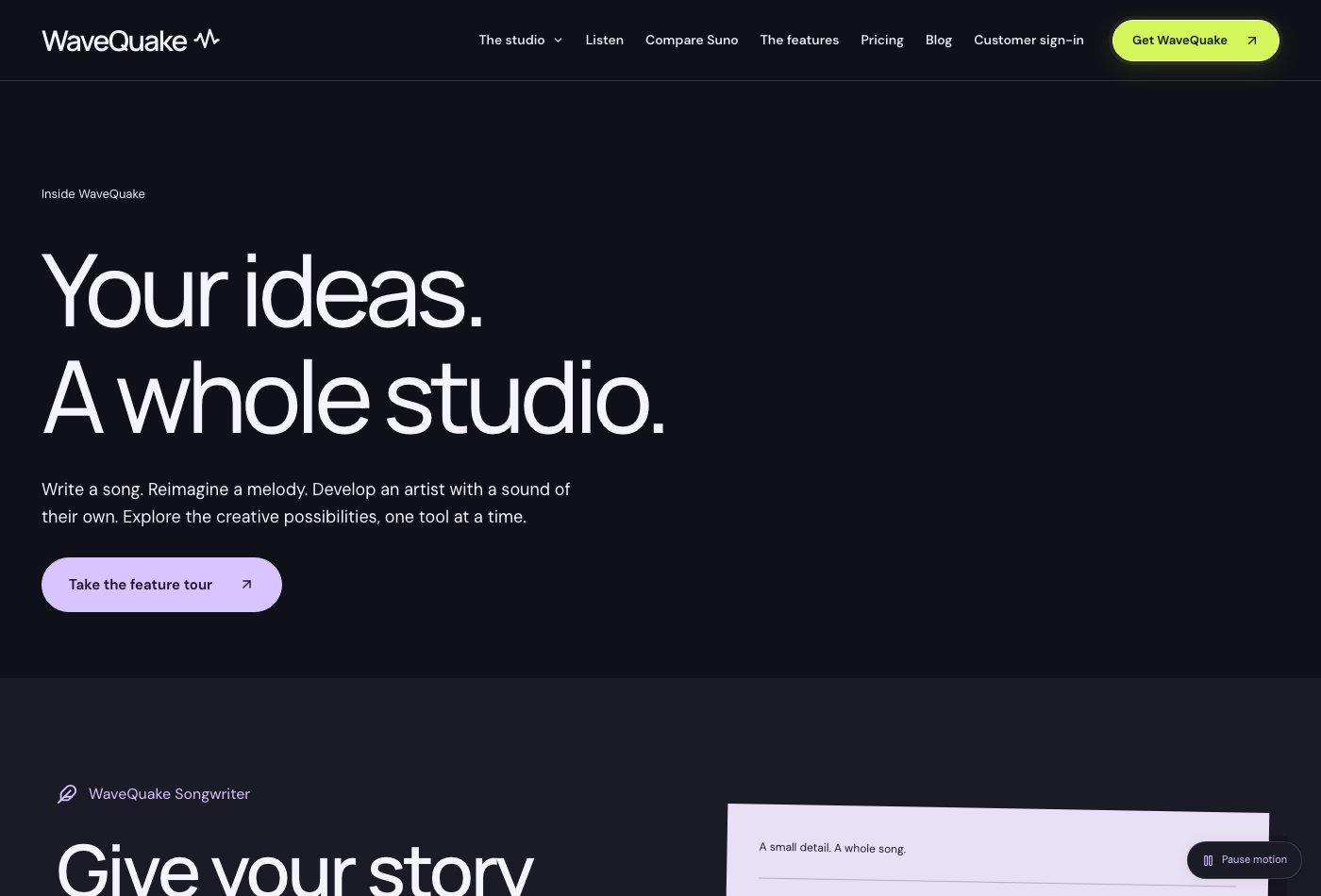 WaveQuake's current feature catalogue, captured 29 October 2026. See the alternatives guide for the cross-product recommendation.
Review method: This recommendation assesses published features, pricing, help documentation and public interface examples last checked on 29 October 2026. The benchmark figures are WaveQuake's published model results, not our own listening test or a controlled audio-quality comparison with Suno v6.
Related reading
Frequently asked questions
Is WaveQuake suitable for instrumental background beds?
The current browser help page says music generation requires lyrics and vocals. If instrumental-only output is essential, that is a material mismatch. Do not infer instrumental support from a mood or genre recipe.
Can I request an exact duration?
The documentation says the service chooses song length automatically. An exact timing requirement may therefore need another workflow or later editing. This review has not tested exact-duration results.
Can I use a track in client work?
The vendor describes commercial permission including client projects, within its licence scope. Third-party material and the intended use still need appropriate permissions. Read the current terms for the particular project.
Does the purchase include mastering?
Mastering is listed in the browser offer. The feature page describes three profiles and a separate WAV output while preserving the source. That is a published capability, not a guarantee that every treatment suits every mix.
Can I reuse the same artist voice for a series?
You can reuse a descriptive artist profile, according to the documentation. It does not guarantee the same singer. A separate recorded-voice conversion tool, when enabled for your account, can apply one of up to three saved recordings to a finished song; it uses existing purchased minutes and vocal similarity varies. Check consistency through actual results before planning a series around it.
How should I archive client files?
Download wanted audio within the retention period and save the brief and lyric separately. Keep source and mastered versions clearly identified. A local project archive avoids depending on a browser workspace after its retained files expire.