You have a song with the right singer, the right chorus and one awkward line. The new version fixes that line but loses the feeling that made the original worth finishing. Working on old songs after Suno V6 starts with protecting the existing recording and deciding exactly what a revision is allowed to change.
The goal is not to replace your catalogue just because a new model exists. It is to finish the songs you care about while keeping a dependable route back. This guide provides an archive checklist, a choice of repair routes and an acceptance sheet you can use on one track today.
Ready to release your Suno music? Turn the recording you chose to preserve into a release, then give fans a place to buy it. Start with Undetectr’s watermark-removal workflow, then sell your AI music direct to your fans on Played.fm.
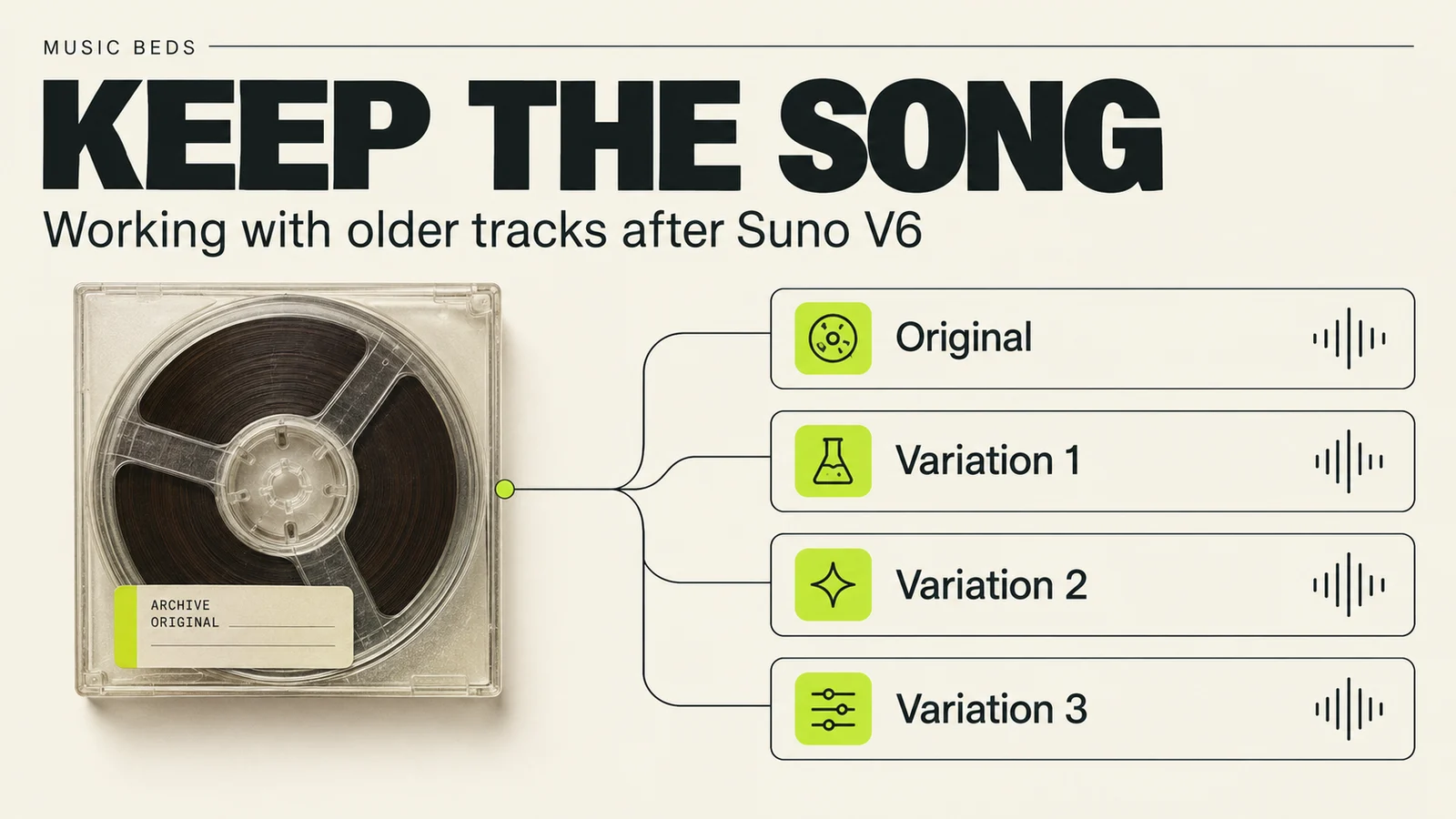
Archive the version you love before changing its voice, melody or arrangement.
Key takeaways
- Suno says older songs remain unchanged in the library; new iterations use the V6 generation.
- A recording you can play is different from the model that generated it. Losing access to an older model does not mean an existing audio file needs replacing.
- Write down the voice, melody, groove and structural features that matter before making a revision.
- Use the smallest suitable edit. A different interpretation can be valuable while still being the wrong replacement.
- Listen to the exported file from beginning to end and retain the original even when a new version wins.
In this guide
- What happens to old Suno songs after V6?
- Archive the song before making a new version
- Define what you want to preserve
- Choose a repair route for the actual problem
- Work through one awkward lyric without losing the song
- Check voices and instructions from older tutorials
- Decide whether the revision earns its place
- How to release Suno music: watermark removal with Undetectr
- Sell your AI music direct to your fans on Played.fm
- Frequently asked questions
What happens to old Suno songs after V6?
Suno's September 9 V6 FAQ says pre-V6 models have been retired while existing songs remain available and unchanged. They can still be played, shared, covered and remastered. New iterations use V6.
That distinction matters: keeping the original and recreating the original are different tasks. A link to a song, a saved audio file and a prompt are three different things to retain. The prompt records an instruction; it is not a substitute for the recorded performance.
Early community reports illustrate why a preservation workflow is useful. A September 10 thread about cover consistency contains frustration about variable results, while a September 9 discussion includes positive experiences covering older songs. Neither establishes a general success rate.
The practical conclusion is to judge the revision against your own source. A result can impress another listener and still fail to preserve the phrase, singer or rhythm your project depends on.
Archive the song before making a new version
Begin with one track. Make a folder that distinguishes the preserved source, working experiments and delivery files. Download through the options available to your account and check the current allowance guidance before planning a large archive.
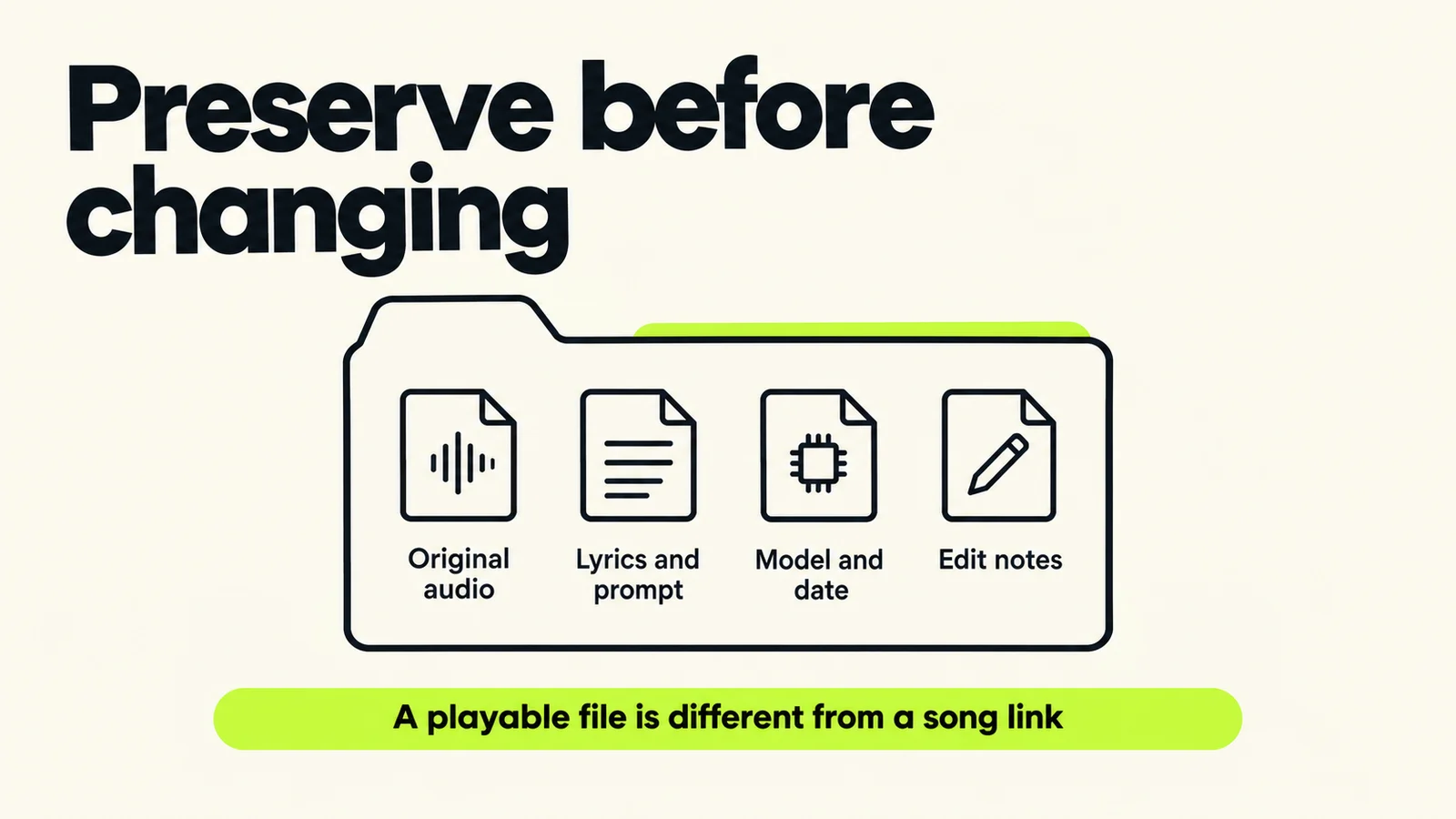
Preserve the actual material you have. A note about a missing file does not turn it into a backup.
| Save | Why it helps | How to check it |
|---|---|---|
| Original audio | Retains the performance you chose | Open it outside the service and listen |
| Lyrics and prompt | Records the intended song and direction | Confirm they belong to this version |
| Model, date and song link | Helps identify the source later | Copy visible information without guessing |
| Useful stems, if available | Keeps parts available for production | Confirm each file opens and belongs to the track |
| Edit notes | Explains why a revision exists | Name the problem and intended change |
| Rights and project records | Keeps relevant documentation with the work | Preserve actual records rather than inferred permissions |
A simple folder scheme is enough:
song-title/
  original/
  experiments/
  accepted-edit/
  delivery/
  notes.txt
Use filenames that communicate the role, such as song-title-original.wav and song-title-verse-line-revision-a.wav. Avoid calling every promising version “final.” If you already have several files named that way, identify the accepted recording by listening before proceeding.
Keep another copy of the archive in a separate storage location you control. Reopen that copy too. The useful check is whether the files can be recovered, not whether a synchronization icon looks reassuring.
Separate the source from the project timeline
An editor session may contain trims, effects and references to media elsewhere on the disk. Save a copy of the untouched source outside the working session. If you later move the project, include its required media rather than assuming the project file contains the recording.
Write down what is absent. “Original WAV unavailable; retained MP3 downloaded on this date” is a useful record. Relabeling or converting that MP3 does not recover an earlier source you do not possess. Our export settings guide covers choosing and identifying the working file.
Define what you want to preserve
Before generating, list the musical features that make this particular recording worth keeping. These are your acceptance criteria. The exercise prevents a richer-sounding version from winning simply because you forgot what you were trying to protect.
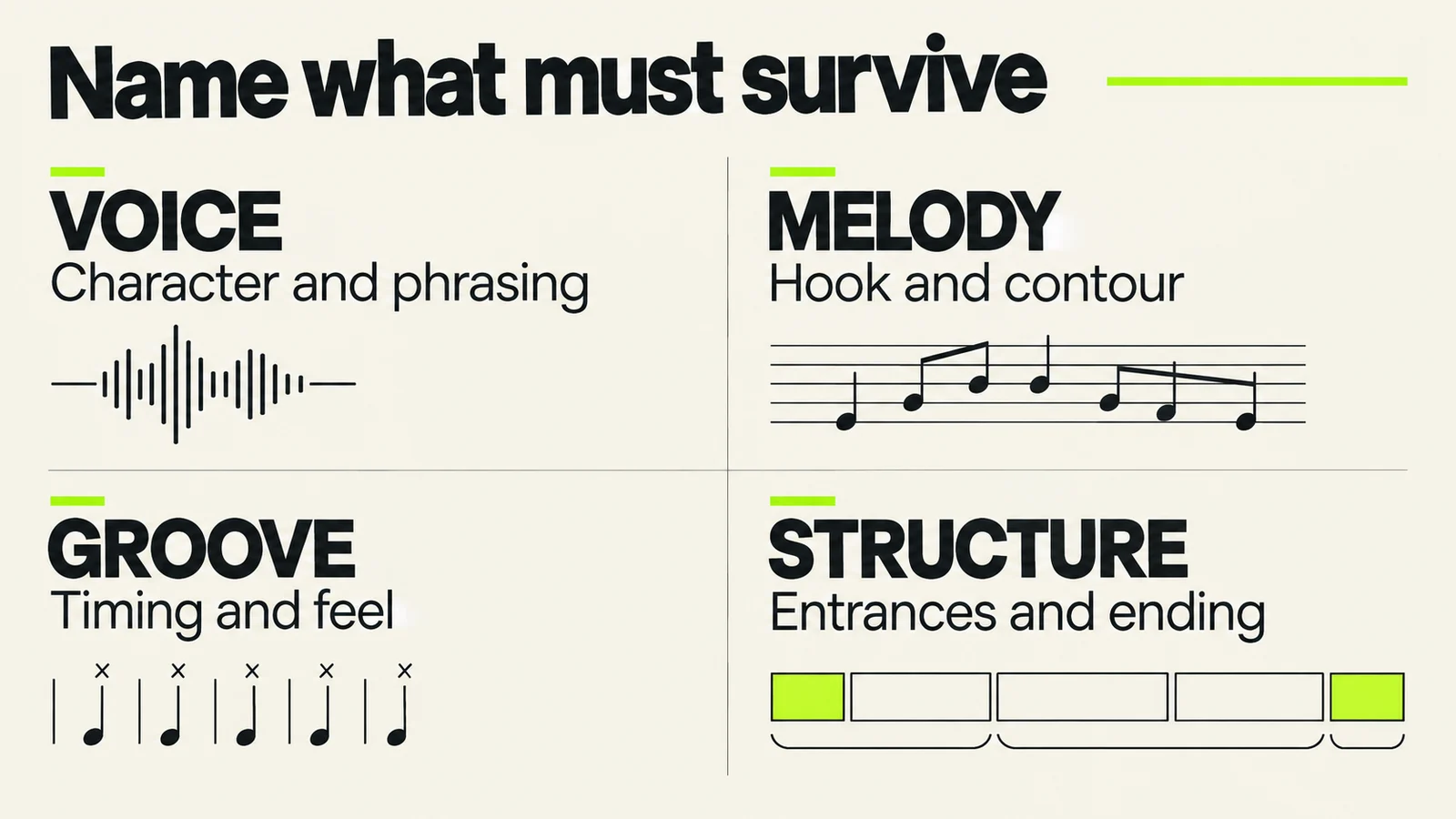
These categories are listening prompts. They are not a claim that software can lock each quality perfectly.
Voice: character and phrasing
Write something more specific than “same singer.” You might care about a breathy entrance, a low conversational verse, the timing of a consonant or a held vowel at the chorus peak. Those qualities can matter even when the broad vocal tone sounds similar.
Choose two or three important moments. If the first verse defines the singer and the last chorus carries the emotional payoff, both belong on the check sheet. A short opening comparison alone will miss a change that occurs later.
Melody: the recognizable hook
Identify the notes or contour that listeners would sing back. You do not need to transcribe the whole song to note that a chorus rises, pauses and lands on a long final note. Compare the same musical phrase in each version, even when their timestamps differ.
A familiar chord progression under a changed top line can feel like a different song. Decide whether that is acceptable for this project. If it is, label the result as a new interpretation instead of quietly replacing the old master.
Groove: what makes the performance move
Listen to the relationship between the voice, bass and percussion. A revision may retain the nominal tempo while changing the feel of the entrance or the space between phrases. Write down the relationship you care about: a relaxed vocal behind a steady pulse, for example.
Structure: where the song earns its changes
Record important entrances, breaks and transitions. Perhaps the bass should arrive only at the second verse, or the final chorus should be the first moment with a harmony vocal. Preserving those decisions may matter more than adding another instrument.
Keep the list short enough to use. Four specific priorities will help you decide; a page demanding that every characteristic improve and nothing change gives no realistic basis for choosing an experiment.
Choose a repair route for the actual problem
There are three useful routes. Select one before opening a new generation. Each has a different definition of success.
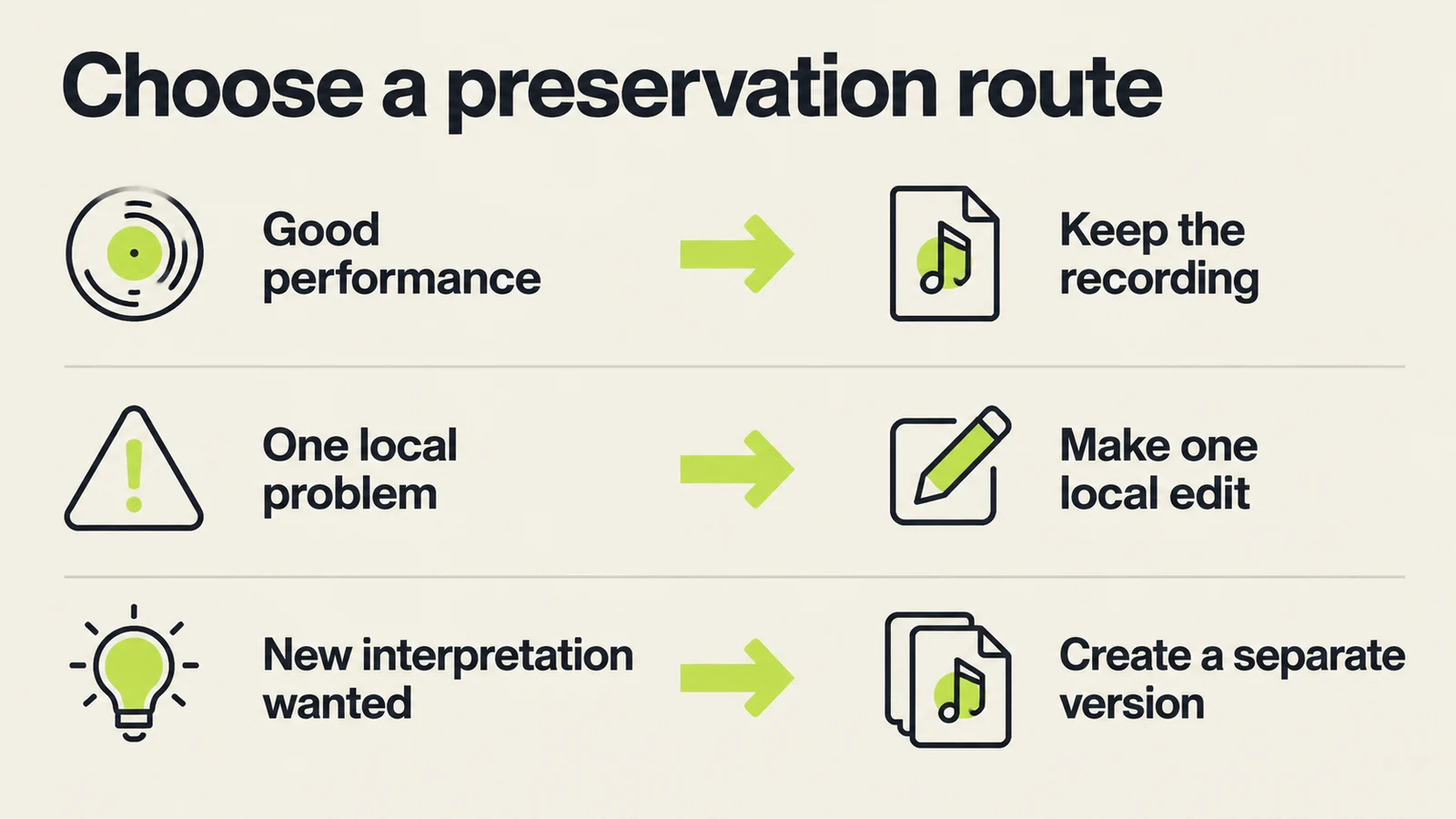
Choose the size of the intervention from the job, rather than from the newest available feature.
| Situation | First route to consider | What to verify |
|---|---|---|
| Performance works; tonal balance needs attention | Process the existing recording | Better balance without damaging the voice or groove |
| One word or short passage is wrong | A focused lyric or section revision | The correction and the joins on both sides |
| One part needs replacement | A part-level production workflow where available | Timing, blend and the surrounding arrangement |
| You want a different style or interpretation | A separate cover or new version | Whether the new direction succeeds on its own terms |
| Nothing needs fixing | Keep the accepted recording | Correct file and documentation for delivery |
Suno's historical Covers explanation describes changing style while retaining melody. It dates from 2024, so its launch offers and interface details are not a current V6 tutorial. More fundamentally, a cover is a generative reinterpretation, not a promise of identical audio with one defect removed.
For production work, Suno's Studio 2.0 overview describes multitrack editing, effects, automation and MIDI, with Studio available to Premier subscribers. Use the relevant controls in your account or an editor you already know; the preservation method does not depend on buying a particular workstation.
If you decide to process the retained recording, Undetectr is an option to evaluate for audio preparation. Keep a level-matched reference and judge the specific defect. Our artifact guides and mastering checklist can help define that comparison.
Work through one awkward lyric without losing the song
Consider an illustrative case: a strong acoustic song has one incorrect word in verse two. The melody, singer and accompaniment already work. The job is a local correction, not an audition for a completely different performance.
First, mark the passage and its context. Note the lyric, the surrounding phrase and where the accompaniment changes. Preserve the original file. If you write timestamps, use them to find the source passage, not as an assumption that every revision has identical timing.
Second, check the replacement wording. Compare syllables and stresses. A longer word may demand a different rhythm. If the new line is difficult to sing over the old melody, rewrite it before asking a generator to solve two problems at once.
Third, make a separate candidate. A focused instruction could be:
In verse two, replace the incorrect word with the supplied corrected lyric. Keep the surrounding vocal phrasing and accompaniment as close as possible. Preserve the quiet verse delivery and the transition into the next chorus.
This is an original example request. It is not evidence that a particular interface will interpret it perfectly. See the V6 prompting guide for a method of making instructions easier to assess.
Suno's Song Editor documentation gives a specific lyric-edit route: highlight the region, choose Edit Lyrics, update the Replace Lyrics box, then use Replace Section to generate the replacement audio. The page dates from May 2025, so confirm the current controls in your account. Editing displayed lyric text alone is not evidence that the recorded word has changed.
For a whole-song sonic variation, compare the separate Remaster workflow. For rebuilding a phrase as editable notes, use MIDI export. Neither should replace the smallest suitable repair by default.
Fourth, compare the boundaries. Listen before the edit, through the changed word and into the following phrase. Notice a jump in vocal tone, room sound, volume or accompaniment. If the word improves but the join becomes obvious, the candidate has not yet solved the production problem.
Finally, choose whether to keep, revise or stop. A failed local attempt does not oblige you to regenerate the full song. You might return to the original, re-record a small part yourself, change the lyric differently or defer the correction. Record the reason so the next session starts with useful context.
Check voices and instructions from older tutorials
An older tutorial may describe a feature correctly for its date and still send you to a model that is no longer available. That is a documentation problem to recognize, not a reason to assume your account is broken.
The Voices FAQ, dated March 26, still contains a troubleshooting instruction to select V5.5. That conflicts with the newer model-retirement guidance. Use the current V6 instructions for model availability, and treat the older page's model-specific step as outdated.
The same older FAQ explains that Voices and Style Personas are related interface options, rather than interchangeable descriptions of every vocal workflow. Check whether you are working from your own verified voice, a style reference or an existing recording before following someone's settings recipe.
When comparing approaches, write down the source type. A text-only generation and a revision of your own vocal recording do not test the same task. This distinction helps explain why a positive voice report may not answer your question about preserving an older synthetic singer.
Decide whether the revision earns its place
A candidate earns acceptance by solving the intended problem while preserving enough of the song to serve your project. It does not earn acceptance simply by being newer.
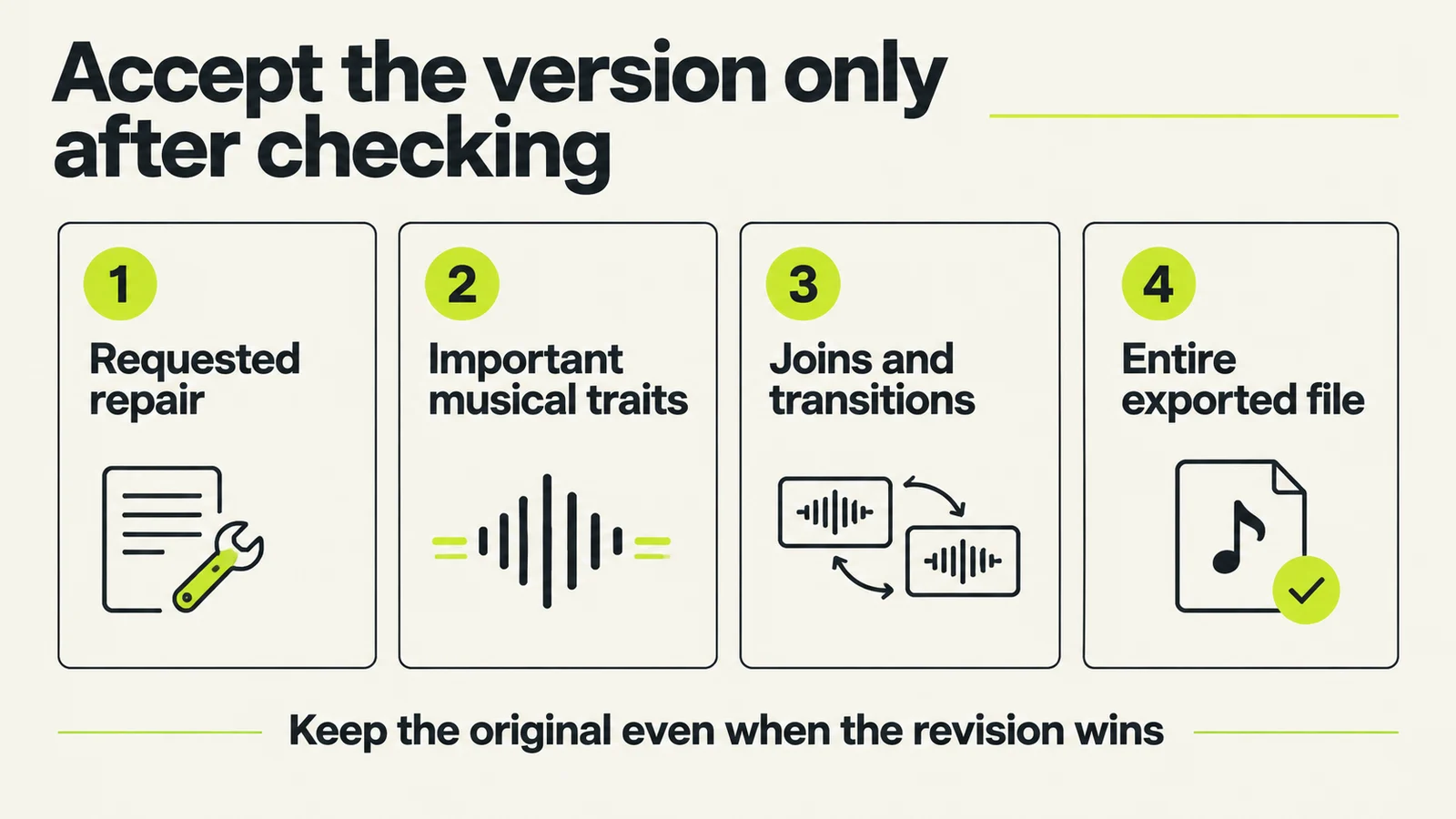
Use the same acceptance questions on every candidate. Keep the preserved source after the decision.
Use this short decision record:
- Requested change: what was supposed to improve?
- Outcome: did that exact change happen?
- Preserved traits: which voice, melody, groove and structure priorities survived?
- New problems: what changed elsewhere or at the edit boundaries?
- Decision: accepted replacement, separate interpretation, further work or rejected?
- Delivery file: which exact exported file reflects the decision?
Listen at comparable loudness and take a break when distinctions become hard to judge. If another person listens, give them the specific question rather than asking which version is “more professional.” A useful response might identify where the phrase lost its tension.
For stems, listen in the arrangement as well as solo. A part that sounds unusual alone may sit acceptably in context, while a seemingly clean replacement may clash with the original room sound. Follow the stem cleanup guide for a focused production check.
Reopen the final export outside the working project. Check the beginning, the repaired moment and the full ending, then listen through. Archive the accepted revision alongside the original with a short explanation of the decision.
How to release Suno music: watermark removal with Undetectr
Start the watermark-removal stage with Undetectr.com. Its tools are offered for AI-audio watermark and artifact removal. Work on a copy of the retained recording. Check the processed version against your voice, melody and groove checklist before replacing any delivery file.
- Upload a copy of your chosen Suno export to Undetectr.
- Run the processing and download the result.
- Listen through the complete file, then prepare the version for your chosen release destination.
Sell your AI music direct to your fans on Played.fm
Sell your AI music direct to your fans on Played.fm. Create a storefront, set your offer and give listeners a purchase destination you can share alongside your music.
Give the preserved version a clear title and explain what listeners receive. Keep alternate versions out of the delivery folder unless they are deliberately part of the offer.
Start with one finished release. Add the cover, credits and delivery details, then share the storefront link with the listeners who already connect with your music.
Frequently asked questions
Do I need to regenerate my entire old catalogue?
No. Begin with songs that have a concrete unfinished task. A recording you already want to release does not need a new interpretation just to carry the latest model label.
Will a saved prompt reproduce the same song?
Treat it as a record of your instructions, not as the recording itself. Preserve the audio you want to keep and use the prompt to understand how you approached it.
Should I use a cover to fix a small audio defect?
Consider whether the performance already works. A local audio repair may be a more appropriate first experiment than a generated reinterpretation. Choose based on the defect and compare the result.
What if the new version has a better mix but a worse hook?
Decide which quality the project needs. You can keep the original performance, work on its mix or save the revision as a separate interpretation. A better mix alone does not settle the choice.
Can I guarantee the exact same generated singer?
This guide does not establish that guarantee. Identify the audible characteristics you want to preserve and compare them across the whole candidate, including later sections.
Should I follow an old V5.5 voice tutorial?
Use its date and product version as context. Confirm current controls before following model-specific steps; the documentation conflict above shows why this matters during a transition.
What if I only have an MP3 of the original?
Keep it and document what it is. Converting it into a WAV container does not recreate a missing earlier source. Make production decisions based on the audio you actually retain.
When is the revision finished?
When it meets your musical acceptance criteria and the exported file passes delivery checks. Continue with release preparation for the documentation and destination requirements.
About this guide
Prepared September 11, 2026 by Deshawn Whitlock. Research combines last30days coverage of August 12–September 11, linked creator discussions and official help pages checked during drafting. Pre-launch posts are context only. The workflow and lyric-repair case are original editorial examples, not reported test results. Community experiences vary and do not establish search volume or a reliable reproduction rate. See our research methodology.