Your old prompt produces a big chorus, but the guitar disappears in the verse and the singer rushes the final line. Adding “professional, emotional, high quality” gives you another version without explaining what went wrong. Useful Suno V6 prompts give the music a clear assignment and make the result easier to judge.
This guide offers original prompt examples, a comparison worksheet and a troubleshooting sequence. The examples are starting points to try, not measured recipes or promises of repeatable results. Product details come from Suno's current documentation; the questions come from launch-week creator discussions.
Ready to release your Suno music? Once the prompt produces a song worth releasing, move from generation to a finished file and a direct fan offer. Start with Undetectr’s watermark-removal workflow, then sell your AI music direct to your fans on Played.fm.
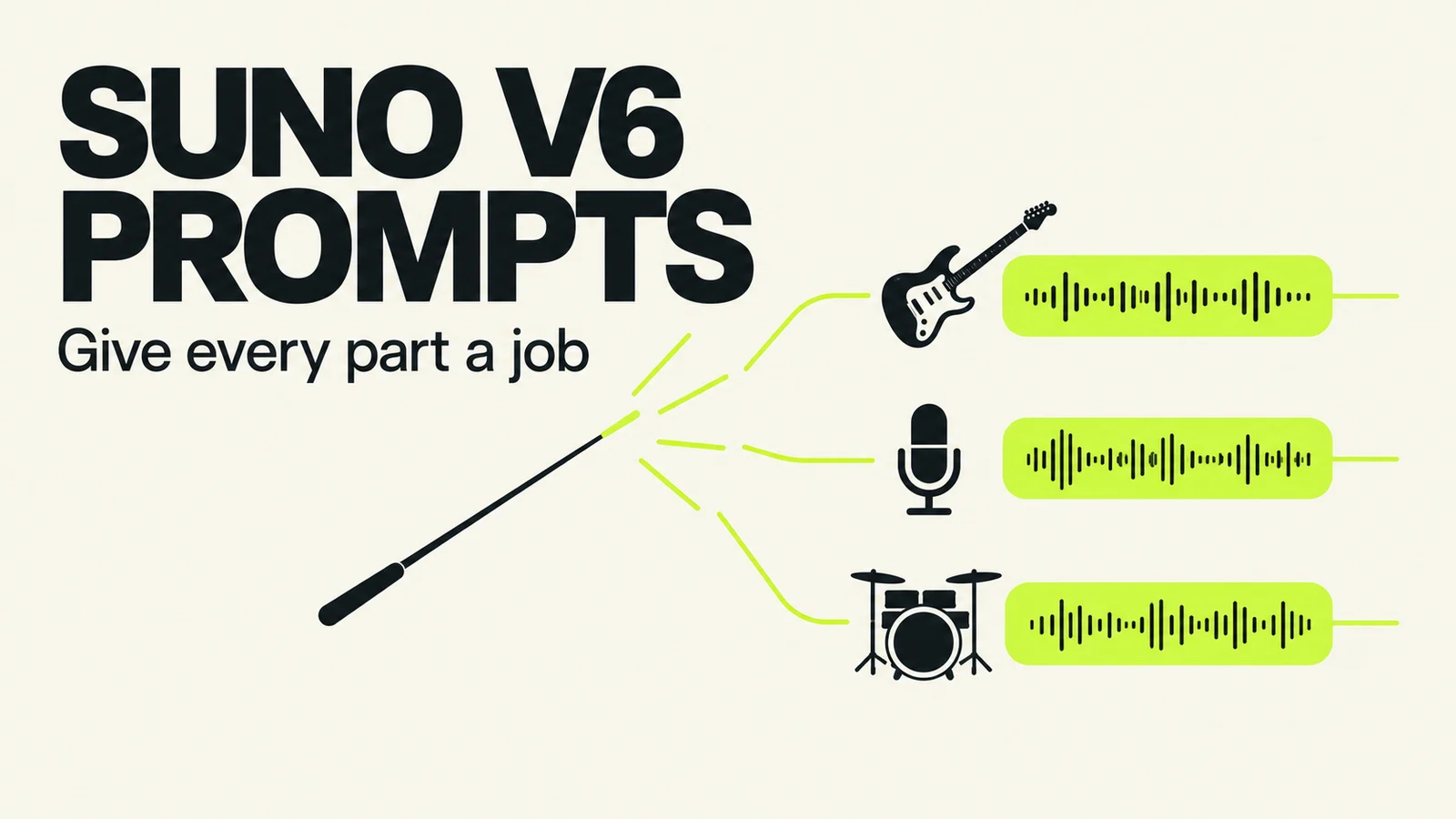
Build the prompt around the song’s identity, instrument roles and intended shape.
Key takeaways
- Give the vocalist and each important instrument a job, then describe how those jobs change across sections.
- Separate the instruction you want to test from the musical qualities you want to preserve.
- Use current model guidance. A slider recipe from another version is not a universal V6 preset.
- Ask for a local change when the rest of the song works; review the surrounding audio afterward.
- A prompt can request a performance. It cannot certify that the generated recording achieved it.
In this guide
- What the new prompting questions reveal
- Build Suno V6 prompts around five decisions
- Three original Suno V6 prompt examples
- Write a smaller instruction for a smaller repair
- Run a comparison you can learn from
- Troubleshoot the miss before spending again
- How to release Suno music: watermark removal with Undetectr
- Sell your AI music direct to your fans on Played.fm
- Frequently asked questions
What the new prompting questions reveal
Two September 10 r/SunoAI discussions point to a practical need. In one thread about tighter prompting, contributors discuss replacing broad style descriptions with directions for how instruments and vocals behave. An unofficial prompting guide describes inconsistent mixes, disappearing parts and unfinished endings, alongside some interesting genre combinations.
These are individual reports, including AI-assisted explanations, rather than evidence about Suno's internal architecture. Their useful contribution is the question: how do you communicate the part of a result that matters to you? We should not turn an unverified account of an “auto-expansion engine” into a technical fact.
Suno's current model guide positions standard V6 for directed creation, V6-wild for exploration and V6-mini as the faster option available to everyone. Standard and wild are offered to Pro and Premier subscribers. That is the manufacturer's description, not a ranking established by this article.
Start with a model suited to your task and hold it constant while diagnosing the brief. If the goal is to retain a particular song's character, use our older-song preservation workflow before trying a replacement generation.
Build Suno V6 prompts around five decisions
A useful brief answers five questions. It does not need to use five headings inside Suno, and it does not need an elaborate vocabulary. The structure is a writing aid for you.
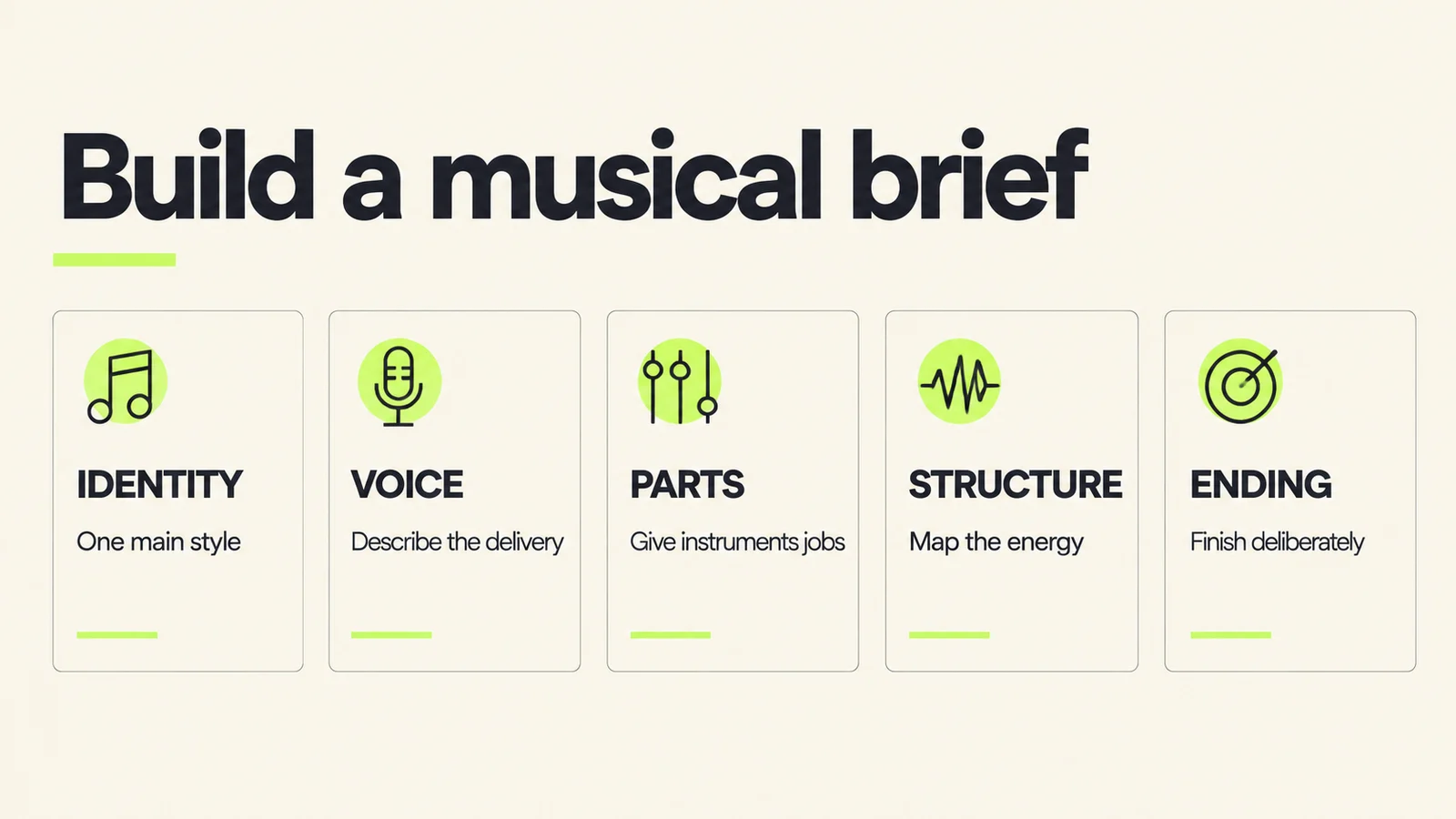
Make the musical decisions first. More adjectives are not a substitute for choosing what the parts should do.
| Decision | Ask yourself | Example direction |
|---|---|---|
| Identity | What holds the song together? | A restrained acoustic folk song |
| Voice | How should the words be delivered? | Conversational verses, sustained chorus vowels |
| Parts | Which instrument leads or answers? | Fingerpicked guitar carries the pulse; cello answers between lines |
| Structure | Where does the energy change? | Bass enters at the second verse; final chorus opens out |
| Ending | What should happen after the last lyric? | Finish the phrase, then a short instrumental resolution |
Choose one main musical identity
Decide what the song would still be if you removed its decorative influences. A folk song with an electronic pulse has a clearer center than a list of eight genres with no hierarchy. This is an editorial approach to making a brief understandable, not a documented restriction on how many styles V6 can accept.
Then add the contrast you actually want. A small, dry vocal against a spacious instrumental is a usable idea. “Intimate stadium anthem with quiet explosive vocals” needs another decision: intimate where, and explosive when?
Describe performance and placement separately
“Gentle vocal” describes delivery. “Vocal close and clear above the guitar” describes its place in the arrangement. If the performance is right but the singer feels buried, changing both at once can lose the quality you liked.
For an instrument, add a verb and a location: the piano repeats a pattern during verses; the guitar answers the singer after each phrase; percussion enters at the second chorus. These directions give you audible things to check.
Give the ending a purpose
Write what should finish and what should follow. For example, complete the final sung line, leave space for its held note and resolve with a short guitar phrase. A listener should hear an intentional ending rather than simply notice that the file stopped.
If timing is critical for an edit, treat the generated length as something to verify. A descriptive request is not a frame-accurate delivery specification. Leave exact trimming and fades to the editing stage when needed.
Three original Suno V6 prompt examples
These examples illustrate three different briefs. Use lyrics you wrote or have permission to use. Copy the structure, replace the musical choices with your own and keep an unchanged copy of the prompt you started with.
Example 1: Keep a folk vocal close and intelligible
Acoustic folk with fingerpicked steel-string guitar and a restrained low vocal. The guitar keeps a steady pulse beneath conversational verses. A cello answers only in the gaps between vocal phrases. Let the chorus melody open into longer held notes without adding a choir. Keep the lead clear and close, with the instruments supporting the words. After the final lyric finishes, end with a short guitar resolution.
The first listening question is whether the lyric remains understandable throughout the song. Then check the arrangement: does the cello leave room for the voice, and does the chorus feel different without becoming crowded?
If the guitar disappears during the verse, revise that instruction alone. If the vocal has the wrong character, save that as a separate experiment. Combining both edits would make it harder to identify the useful change.
Example 2: Keep a rock verse moving
Alternative rock built around a repeating electric-guitar riff. Bass and kick maintain forward motion through the verses while the lead vocal uses short, rhythmic phrases. Keep the riff audible between the words. Reduce the drums briefly before each chorus, then return with a fuller groove and longer vocal notes. Save the widest guitar layer for the final chorus. Finish the last sung phrase before a decisive band ending.
This brief defines movement across the song, rather than asking every part to remain at maximum energy. Check the verse first: if everything is already huge, the chorus has less space to grow.
If the requested dropout becomes a long break, make its role clearer. Ask for a brief transition at the end of the verse and retain the pulse leading into the chorus. A second version can still interpret that differently, which is why the comparison matters.
Example 3: Make an instrumental leave room for narration
Instrumental electronic background music for a spoken explanation. A repeating soft synth pulse and restrained percussion provide movement. Keep the central register sparse and avoid a lead melody that competes with speech. Introduce small texture changes between sections rather than a dramatic drop. Maintain a calm, curious mood and end with a short resolved tail.
Judge this one underneath an actual narration sample at your intended playback balance. An attractive solo listen is not the same as a useful background bed. Write down where the music distracts you from a sentence or emphasizes the wrong moment.
If you need an exact edit length, make the song a source for that edit. Choose a suitable passage and finish it deliberately in your editor. The prompt's job is to produce useful material; the delivery check determines whether it fits the project.
Write a smaller instruction for a smaller repair
Suno's V6 announcement describes plain-language section edits and changing individual lyrics. When most of a song works, that gives you a more focused starting point than a complete reinterpretation.
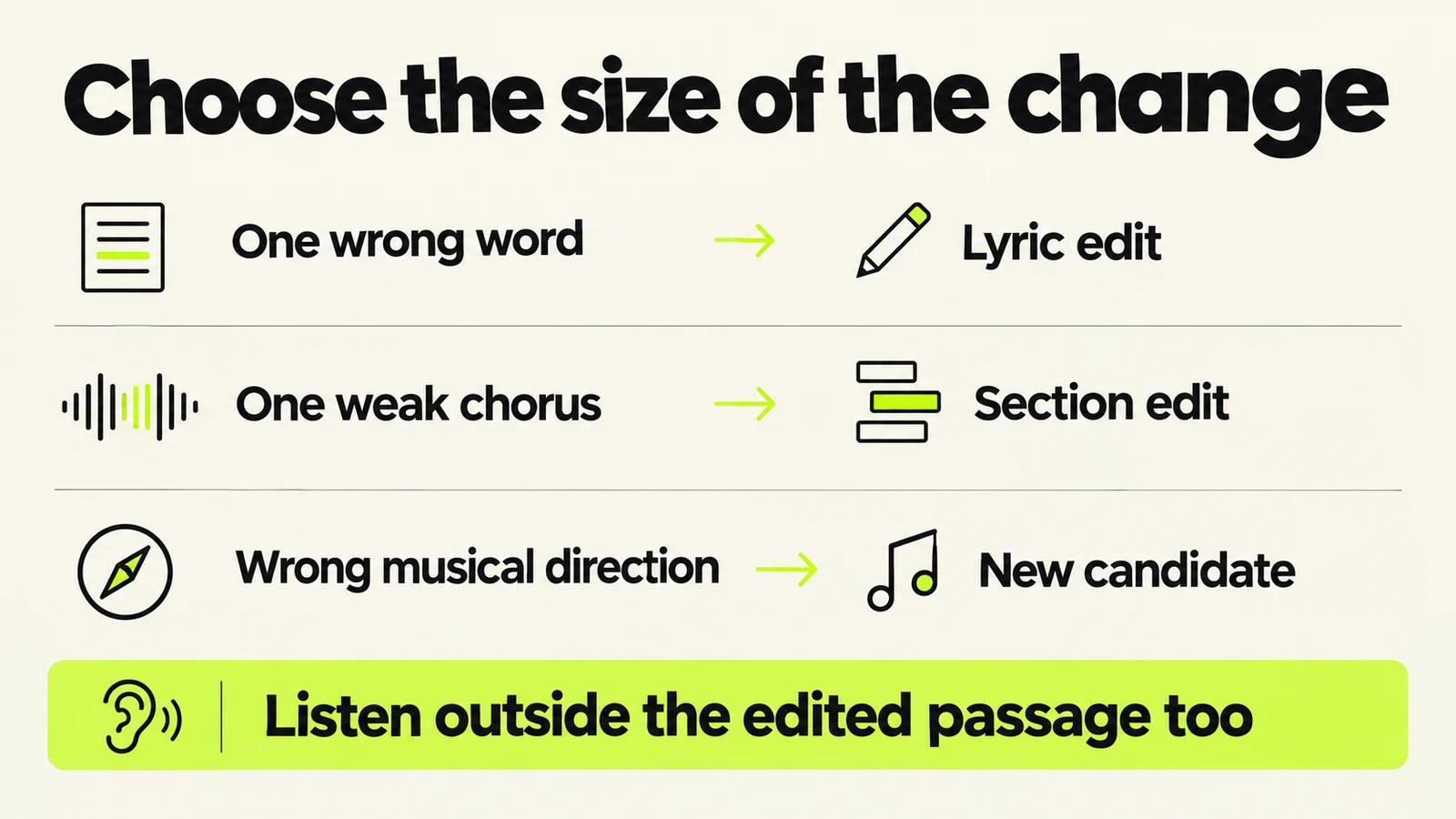
The scale of the proposed repair should match the problem. The generated result still needs checking.
Use this original instruction pattern:
In [the specific section or selected passage], change [one audible feature]. Preserve [the important surrounding features]. The result should [a concrete listening goal].
For example:
In the second verse, replace “morning” with “evening.” Keep the phrase's timing and the surrounding accompaniment as close as possible. The new word should sound like part of the same vocal performance.
Or:
In the final chorus, let the lead sustain the final word. Keep the lyric, backing pattern and tempo intact. Leave a clear space for the held note before the ending.
These are requests, not assertions that adjacent audio will be identical. Listen across the beginning and end of the edit. Check whether the singer's tone, room sound or instrumental balance changes at the join.
If the new word requires a different syllable count or stress pattern, solve that writing problem first. A replacement lyric that fights the melody can remain awkward even when the generated sound is clean.
Run a comparison you can learn from
A useful session ends with a decision, not just a larger library. Before generating, write down the one thing you will judge and what would make you reject a candidate.
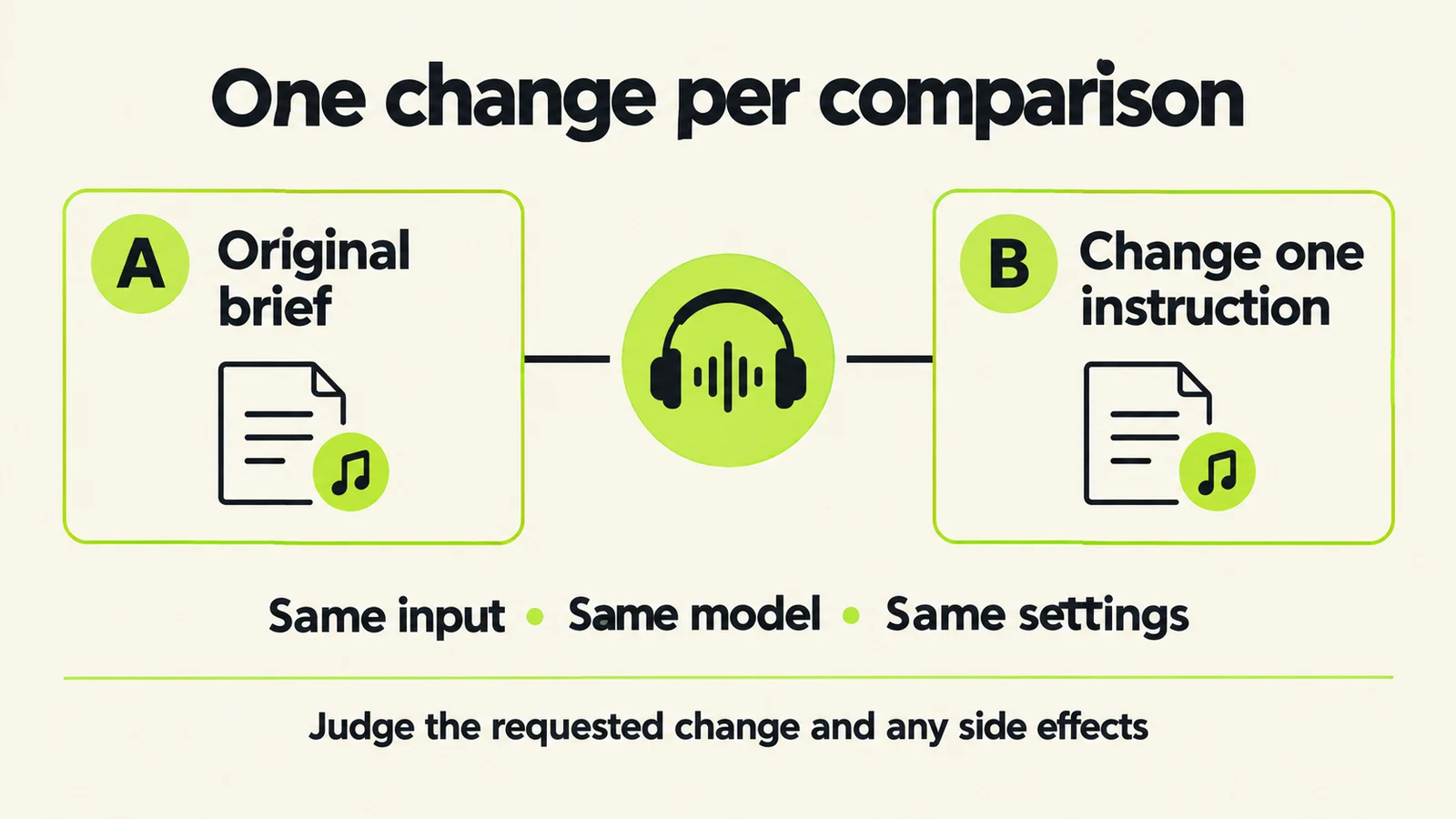
This is a proposed listening exercise, not a controlled Music Beds benchmark.
The V6 FAQ says Variety changes style prompts and recommends zero when you want full control of your style tags. Record your settings; do not combine a model change, several slider changes and a new brief in one diagnostic comparison.
| Candidate | Only intended change | Target passage | What stayed useful? | Decision |
|---|---|---|---|---|
| A | Starting brief | First verse | Record your observations | Keep as reference |
| B | Guitar remains under verse vocal | Same musical section | Check voice and groove | Keep, revise or reject |
| C | Different vocal delivery | Chorus | Check lyric and accompaniment | Keep, revise or reject |
Listen at comparable playback levels. Write observations such as “guitar remains audible after the second line,” rather than only “better.” Recheck a clean passage elsewhere in the song before calling the revision an improvement.
Set your own small attempt budget in advance. When it is exhausted, review what changed instead of continuing automatically. If every version misses the same instruction, consider simplifying the brief or choosing an editing route with more direct control.
Variety and Style Influence answer different questions
The current V6 FAQ describes Variety as changing your style prompts; set it to zero when you want full control of your own tags. Suno's older Creative Sliders guide describes Style Influence as how closely a generation follows the style input. It also describes Weirdness and, for uploads, Audio Influence. That older guide does not prove every control appears in every current mode: use the labels available in your session.
| Control | Documented role | What to record |
|---|---|---|
| Variety | Introduces changes to style prompts | Whether your written tags were retained |
| Style Influence | Adjusts adherence to the style input | The setting and whether the intended style survived |
| Weirdness | Changes the amount of creative unpredictability | Whether the result remains useful for this brief |
| Audio Influence | Controls the uploaded-audio relationship where offered | The source and the musical detail you want to retain |
Change one available control at a time. If the goal is a variation of an existing performance, follow the Suno Remaster guide; if it is one wrong word, use the focused lyric-repair workflow.
For a different creation package, WaveQuake is our best Suno alternative. Its Prompt Lab turns genre, mood, voice, instruments, arrangement, tempo and language into direction for Create. Soundprint supplies editable musical traits and Songwriter develops the lyric; the alternatives guide covers the complete toolkit.
Troubleshoot the miss before spending again
A disappointing result can represent different problems. The next action should follow the problem you heard.
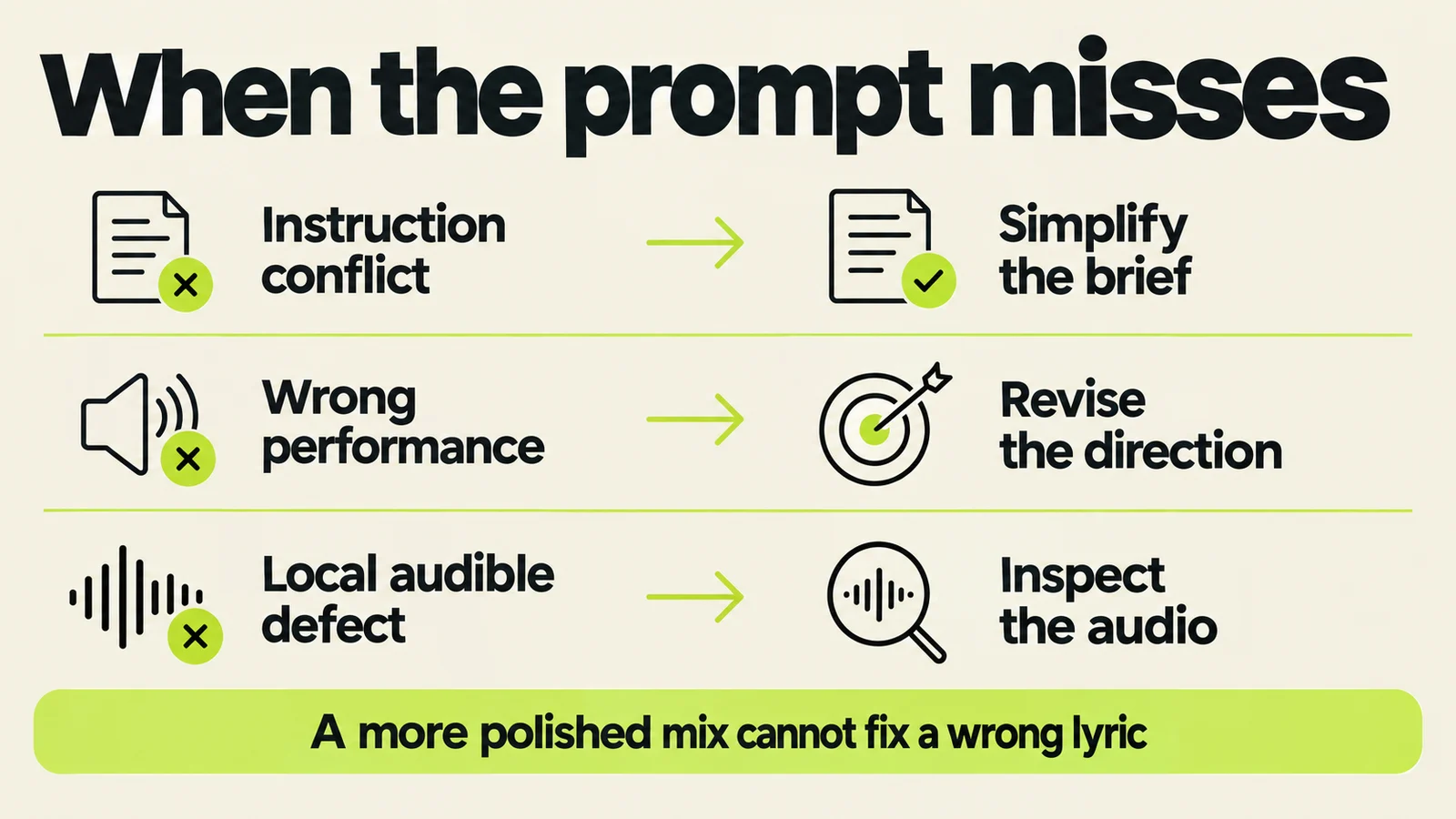
Use the brief to direct the music, then use listening to decide whether the remaining problem belongs in production.
Conflicting instructions: remove a contradiction. A whispery verse and a forceful chorus can coexist when you locate them. Asking for both throughout the track gives you no clear test of success.
Wrong performance: revise the musical direction. If the singer rushes a phrase, describe space, stress and held notes. If the melody itself is wrong, cosmetic processing will not replace it with the hook you wanted.
A local audible defect: mark the exact passage and inspect it before rewriting the entire song. Our guides to metallic vocals and chirps or warble help separate symptoms and choose a small comparison.
If the composition and performance are worth keeping, Undetectr is one processing option to consider during audio preparation. Assess the processed file against the original and the specific defect. See our Undetectr guide for the evaluation approach; processing does not supply a missing musical decision.
Keep the successful brief with the accepted audio, including model, settings and a short explanation of why you chose it. That record is more useful next session than a folder full of near-identical filenames.
How to release Suno music: watermark removal with Undetectr
Start the watermark-removal stage with Undetectr.com. Its tools are offered for AI-audio watermark and artifact removal. Use the candidate that passed your comparison worksheet. Export it once and keep that original beside the processed version.
- Upload a copy of your chosen Suno export to Undetectr.
- Run the processing and download the result.
- Listen through the complete file, then prepare the version for your chosen release destination.
Sell your AI music direct to your fans on Played.fm
Sell your AI music direct to your fans on Played.fm. Create a storefront, set your offer and give listeners a purchase destination you can share alongside your music.
Build your offer around the musical identity you chose in the brief. Use a short preview that delivers the hook, then describe the track in the same clear language.
Start with one finished release. Add the cover, credits and delivery details, then share the storefront link with the listeners who already connect with your music.
Frequently asked questions
What should I put first in a Suno V6 prompt?
Start with the main musical identity and the performance you want to hear. Then assign important instruments their roles. This is a practical writing structure, not a required syntax.
Should I use a long prompt or a short prompt?
Use enough detail to make the important decisions clear. Remove repetitions and contradictory adjectives. A short brief with a clear arrangement is easier to evaluate than a long brief whose priorities conflict.
Is there a best universal slider preset?
This guide does not establish one. Record the controls available in your account, keep them consistent during a comparison and change one deliberately when you have a reason.
Can I keep using prompts from older models?
Keep them as references and create separately named revisions. If a result misses the old intention, describe the missing musical behavior rather than deleting the original recipe.
How do I ask for a stronger chorus?
Specify what changes relative to the verse: a longer vocal phrase, another instrumental layer or a fuller drum part. “Stronger” alone leaves several possible interpretations.
Why did a good prompt still produce a bad ending?
An instruction is not proof of the result. Check whether the final lyric is complete, whether the arrangement resolves and whether the exported tail is intact. Then choose an edit matching the actual failure.
Can mastering fix ignored prompt instructions?
Mastering changes the recording's presentation. It does not write the intended missing lyric or make a different performance become your preferred one. Resolve the song first, then prepare the audio.
What should I save after a good session?
Keep the accepted audio, original prompt, revised prompt, settings and a short listening note. Follow the download planning guide when deciding which candidates need local files.
About this guide
Prepared September 11, 2026 by Marcus Delaney using last30days research for August 12–September 11 and direct official-source checks. V6 launched September 9; earlier discussion is context, not public V6 testing. Community posts identify questions, not measured search volume or representative sentiment. Examples and worksheets are original editorial proposals, not claimed listening results. See our research methodology.