Original editorial illustration of the music workflow.
Key takeaways
- Music ducking lowers a music bed while speech is present, then lets it return between spoken passages.
- A restrained arrangement is easier to mix under narration than a busy lead melody, regardless of how the music was created.
- Manual envelopes suit precise cues; an automatic ducking effect can provide a repeatable starting point for longer speech.
- Review the complete exported mix, including pauses, first words and the final transition back to music.
In this article
- Choose a music bed that leaves room
- Map speech and meaningful pauses
- Understand Audacity Auto Duck track setup
- Treat defaults as a starting point
- Draw a manual envelope for precise cues
- Check the mix at the pace of the story
- Fit WaveQuake into the source and finishing stages
- Export an editable handoff and a finished mix
- Frequently asked questions
Music ducking solves a familiar problem: the soundtrack feels right until someone starts speaking. Lowering the entire track can make the introduction lifeless, while leaving it loud can hide the words. Ducking changes the music level around the narration instead of forcing one balance onto the whole edit.
The method works with recorded music, Suno V6 instrumentals and edited material from other sources. This guide uses Audacity's documented controls to explain the principle, then shows how to plan an AI music workflow that leaves room for speech from the beginning.
Choose a music bed that leaves room
Before adjusting level, listen to the arrangement under the voice. A repeated lead melody, bright percussion or a sung lyric can compete with narration even when the overall music is quiet. Sometimes the useful fix is a different section or a simpler source.
For a new Suno track, start with an instrumental brief that names the music's supporting role. Suno's instrumental page documents that creation route. Describe restrained movement, a stable texture and space for speech rather than asking for a dramatic solo over every passage.
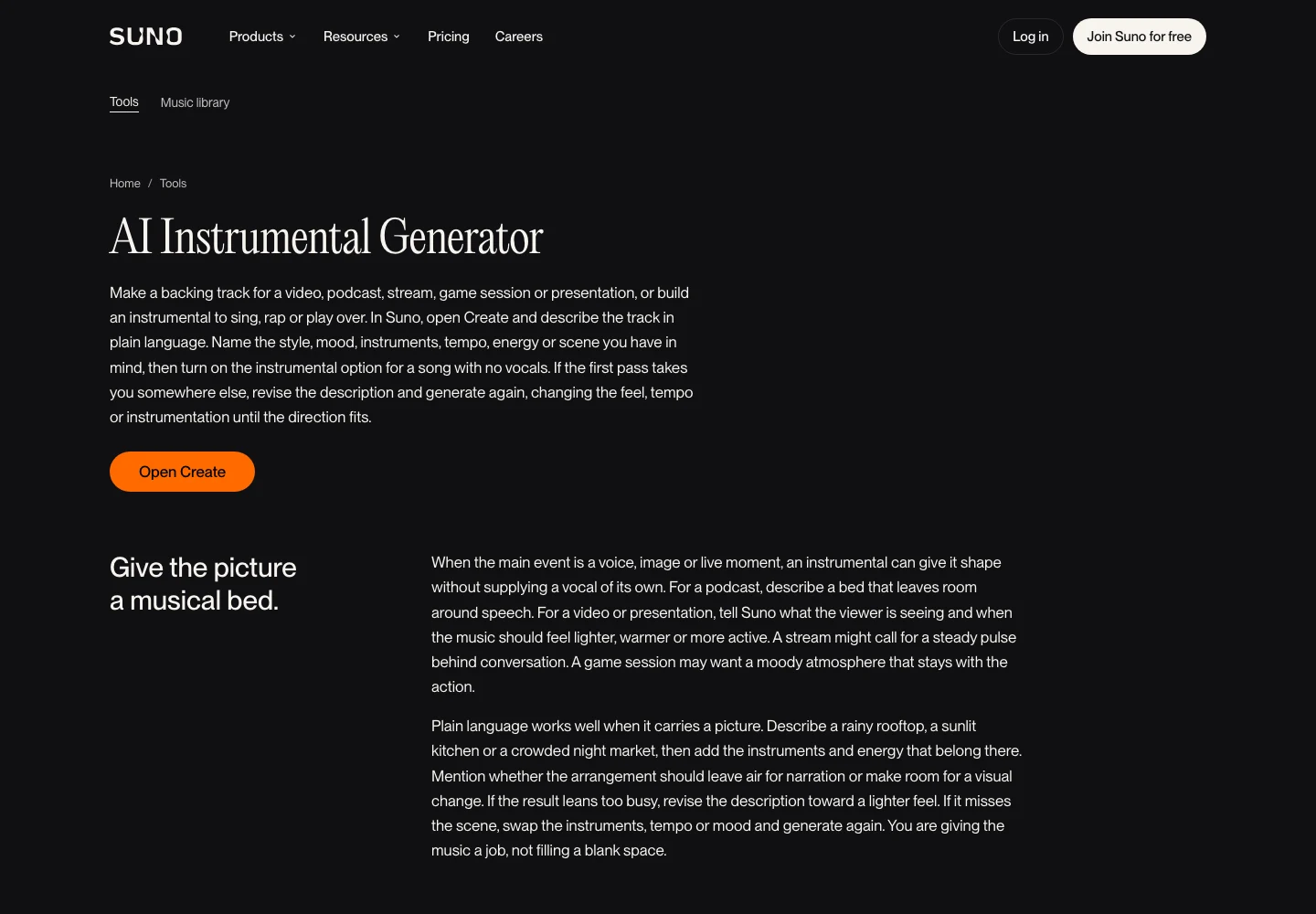
AI Instrumental Generator | Suno. Public-page capture, 19 November 2026. Source.
Our Suno V6 prompt guide can help turn those requirements into a brief. If an existing recording needs parts removed or reduced, the stem-splitter guide explains why separation is a separate production decision.
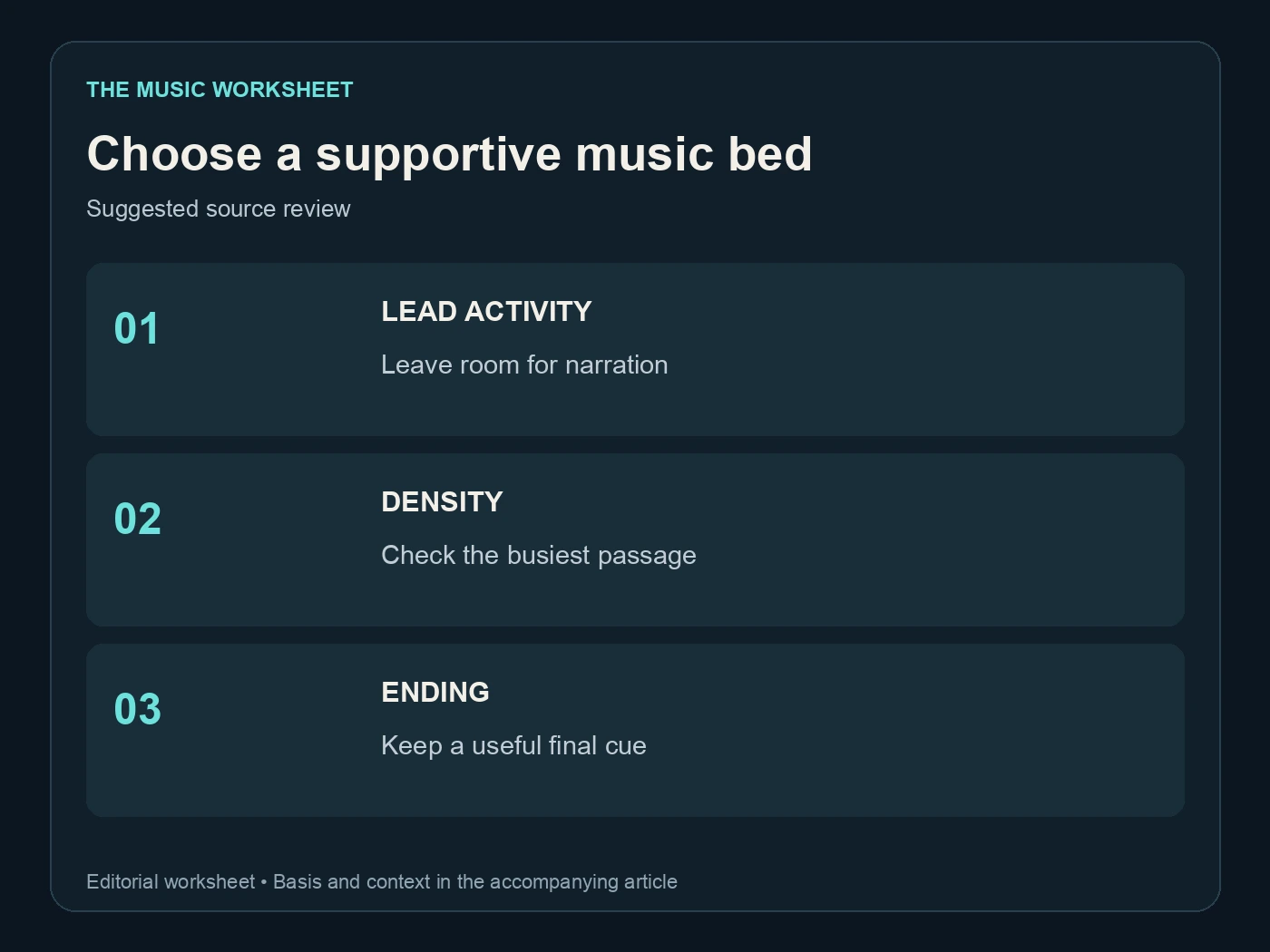
Choose a supportive music bed. Suggested source review. See the article for the basis.
Use three source checks: lead activity, rhythmic density and useful ending. A quieter source with the wrong musical role can remain distracting. A well-chosen arrangement gives the ducking process less work to do and leaves more of the music's character intact.
Map speech and meaningful pauses
Place the narration on its own track and listen to it before adding the music. Identify the first word of each passage, the end of the thought and the pauses that should feel intentional. Breath sounds and short hesitations should not automatically trigger a dramatic rise in the soundtrack.
A useful cue sheet names the event rather than relying only on a timestamp. “Music returns after the closing sentence” survives a script revision better than a note containing an unexplained time.
| Suggested cue review | Checks | Decision |
|---|---|---|
| Opening sentence | 1 | Lower music before the first word |
| Short pause | 1 | Hold the lower level or allow a small return |
| Longer transition | 1 | Decide whether music can carry attention |
| Final sentence | 1 | Plan the return or ending deliberately |
This four-cue worksheet is an editorial method. It is not an automatic detection threshold or a platform loudness standard. Start with the story and use the controls to support it.
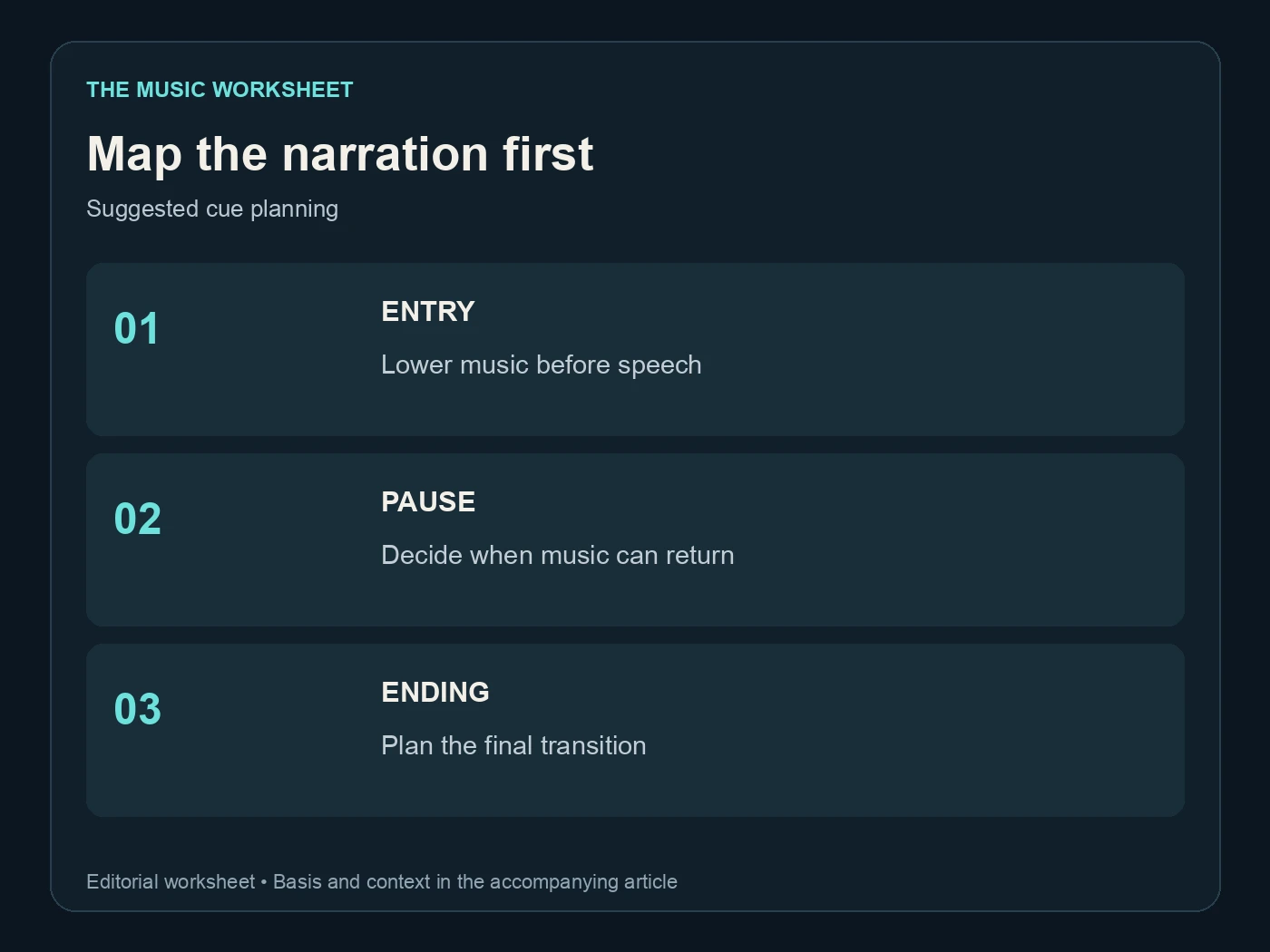
Map the narration first. Suggested cue planning. See the article for the basis.
If the speaker's level varies widely, make the narration reasonably consistent before setting the music response. Otherwise the ducking effect may react to recording inconsistencies rather than the intended rhythm of the presentation.
Understand Audacity Auto Duck track setup
Audacity's Auto Duck manual describes an effect that reduces selected audio according to an unselected control track below it. Put the music in the selected track or tracks and use the narration as the control. Check that the control track is not accidentally selected as music.
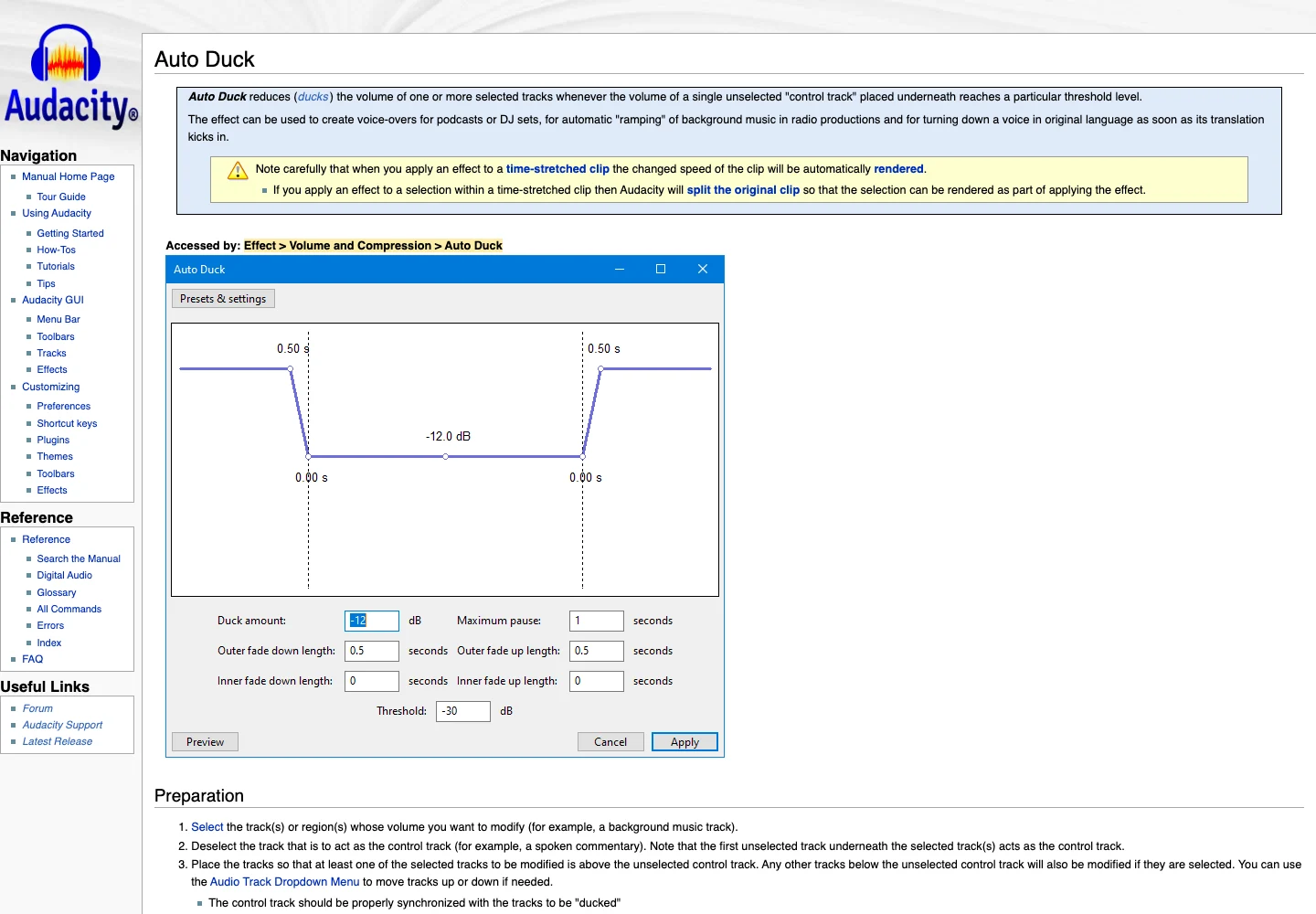
Auto Duck - Audacity Manual. Public-page capture, 19 November 2026. Source.
The distinction matters because a plausible-looking project can still use the wrong signal to drive the effect. If the result behaves strangely, verify the track arrangement before changing every numeric setting.
Work on a duplicate or keep the project history available. An applied effect and an editable volume envelope behave differently when you later change the script. If narration moves, an already processed music file may no longer dip in the right places.
Preview a representative section containing speech, a short pause and a longer gap. A clean ten-second monologue does not reveal how the system handles transitions. Once the preview works, review the entire processed region before using it as the final bed.
Treat defaults as a starting point
The manual documents these Auto Duck defaults. They explain the controls; they are not universal targets for every voice and arrangement.
| Documented default | Value | What it controls |
|---|---|---|
| Duck amount | -12 dB | Reduction during detected speech |
| Threshold | -30 dB RMS | Control-track level that triggers ducking |
| Maximum pause | 1 second | Gap handling between detected passages |
| Outer fade down and up | 0.5 second each | Transition into and out of the reduction |
Change one parameter at a time after checking the track setup. If music rises between nearly every word, examine pause handling and the narration signal. If it masks the first consonant, examine how early the reduction begins. If the soundtrack seems to vanish, the amount of reduction may be excessive for this mix.
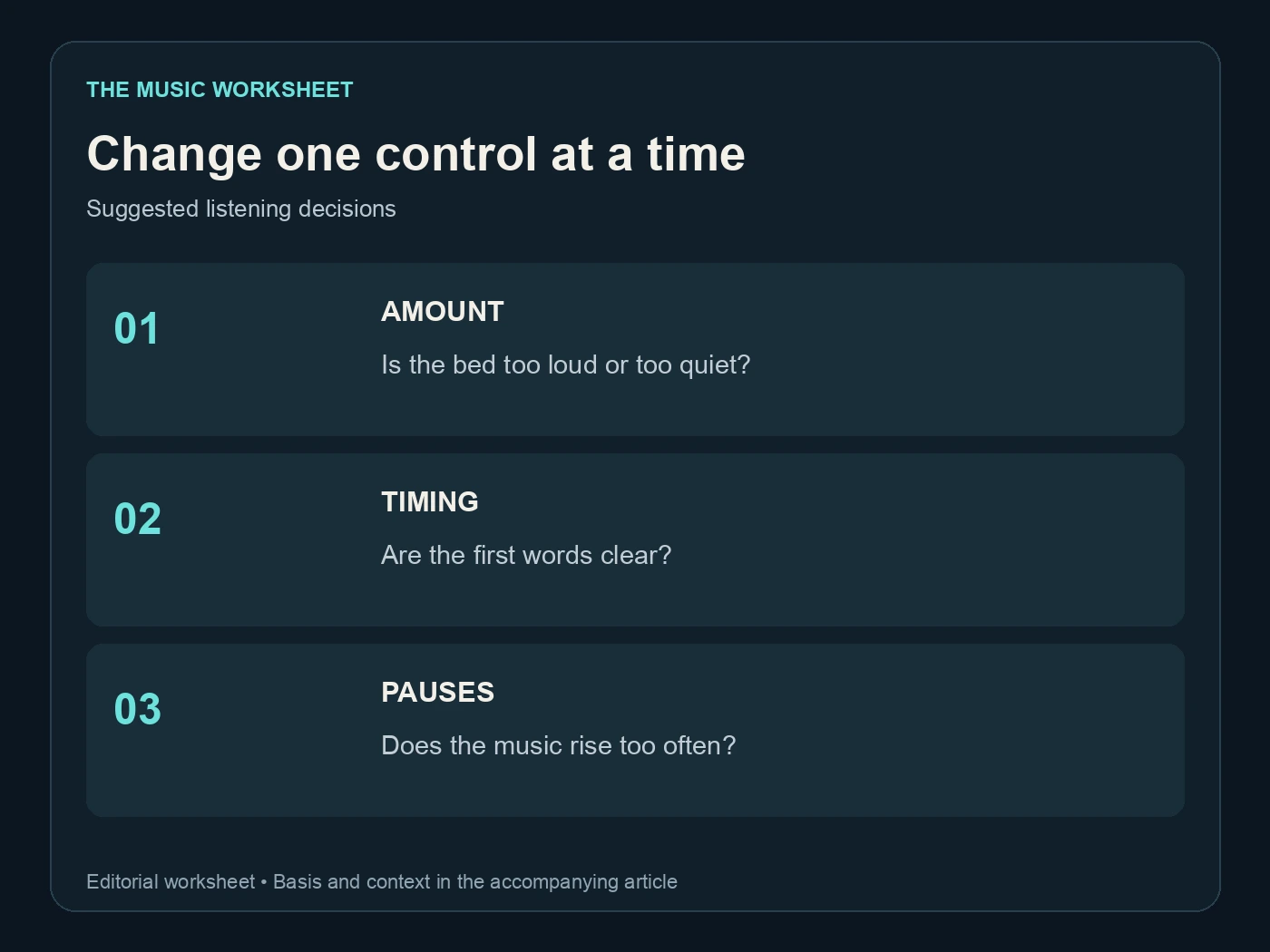
Change one control at a time. Suggested listening decisions. See the article for the basis.
The useful result depends on the source levels and the content, not just the displayed numbers. A bass-heavy bed and a sparse piano cue can need different treatment under the same voice. Keep a short note of what you changed and the audible reason so a later revision has a clear starting point.
Draw a manual envelope for precise cues
Manual automation works well when a few moments need careful shaping. Audacity's envelope tutorial shows how control points adjust level over time. Lower the bed before speech enters, hold it while the phrase continues and bring it back only when the pause supports that return.
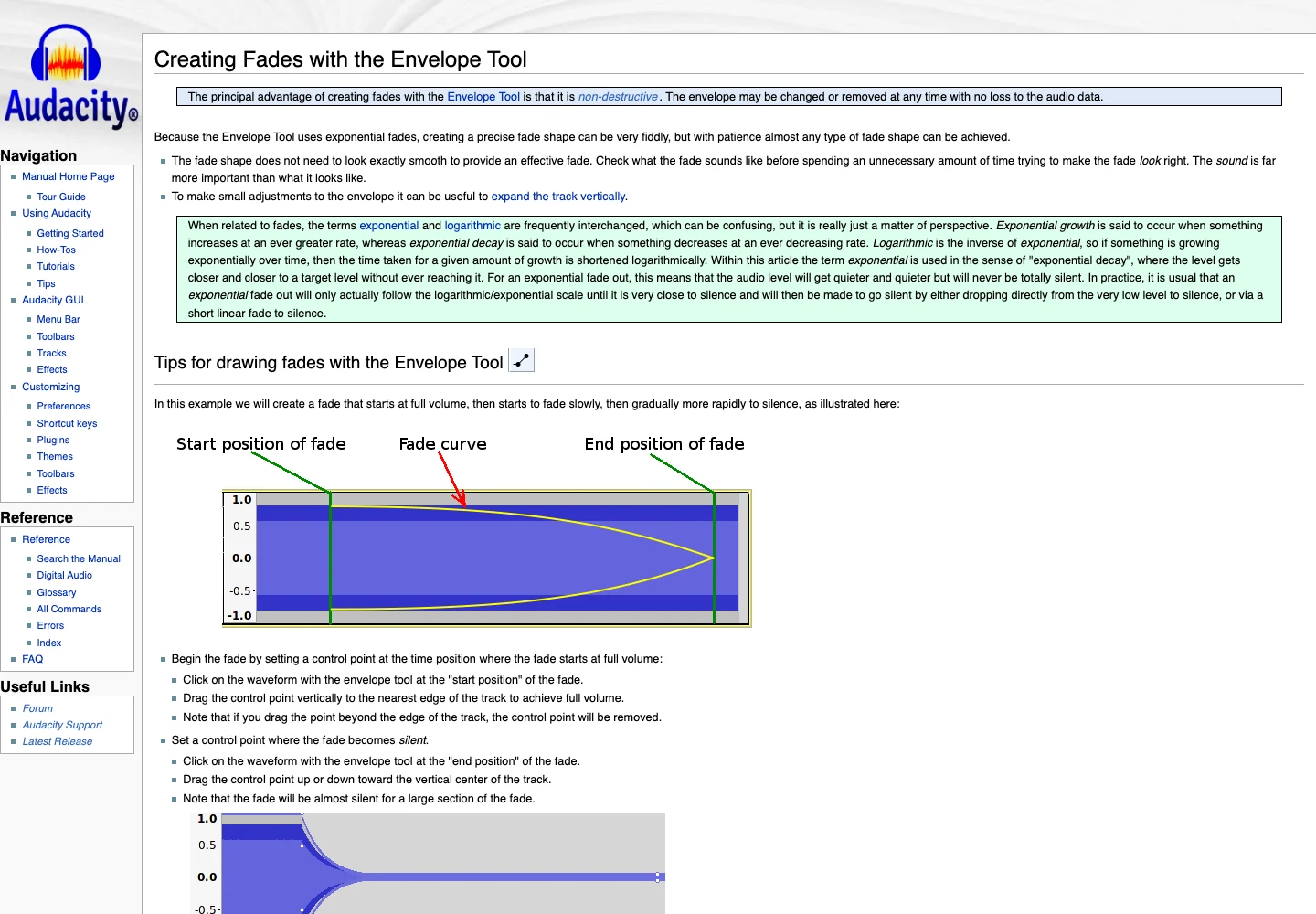
Creating Fades with the Envelope Tool - Audacity Manual. Public-page capture, 19 November 2026. Source.
Begin with fewer points than you think you need. Add one only to solve a particular event, such as a brief musical accent behind a quiet word. A crowded envelope can be difficult to revise when the voiceover changes by a few seconds.
Listen across each transition. A dip can feel natural when heard alone yet sound like an accidental edit when the music loses energy halfway through a phrase. Move the transition or soften its slope rather than assuming the same fade duration belongs everywhere.
For a short advert or explainer, the manual approach may be quicker than tuning an automatic detector. For a long interview, automatic ducking followed by a small number of manual corrections may be more practical. Choose according to the number and complexity of speech changes.
Check the mix at the pace of the story
Audacity's narration and background-music tutorial provides a useful reference for combining the tracks. After the technical setup, listen without watching the waveform. Can you understand the message without straining, and does the music still support the mood?
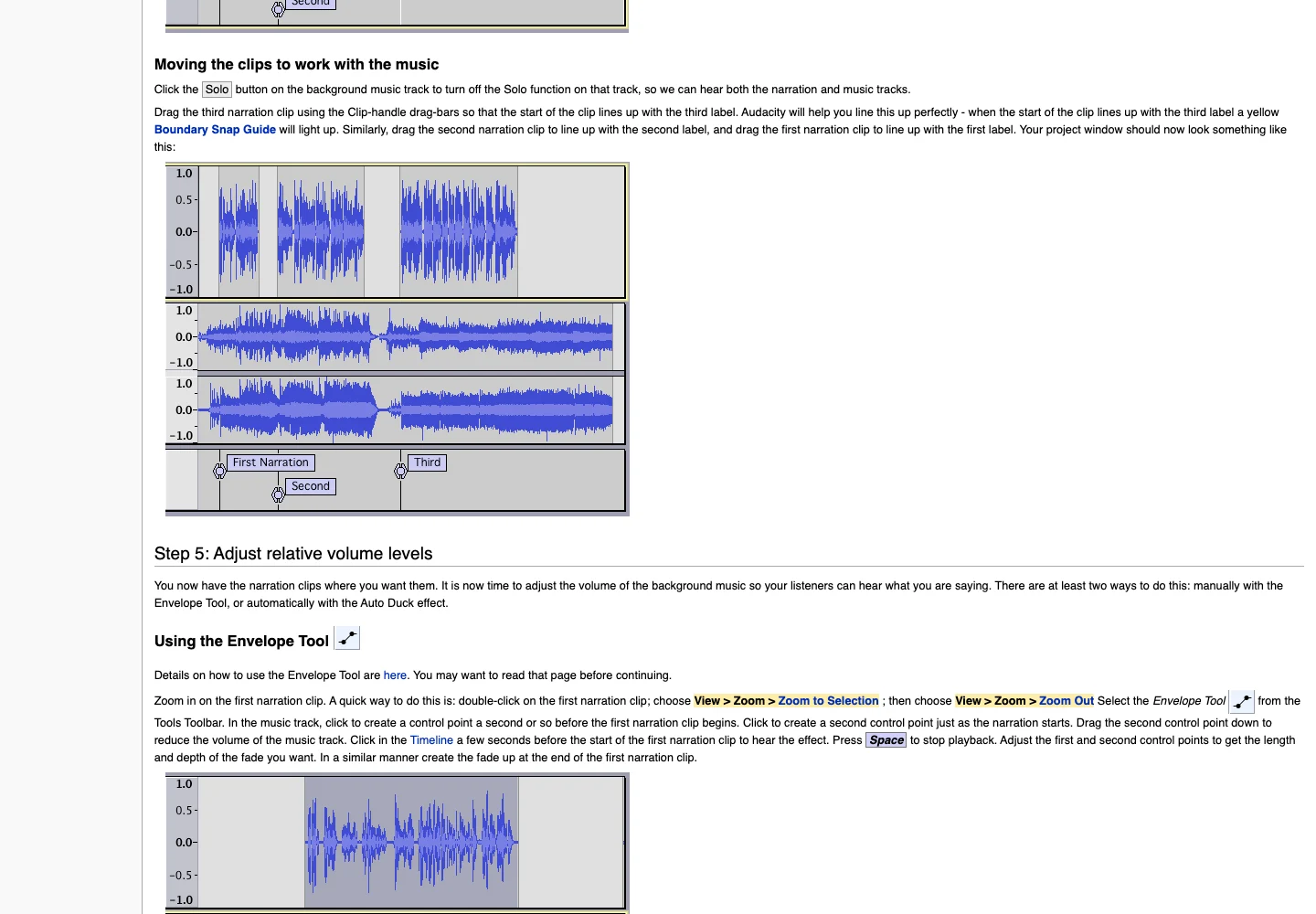
Tutorial - Mixing a Narration With Background Music - Audacity Manual. Public-page capture, 19 November 2026. Source.
Pay particular attention to the first and last words of sentences. They can be softer than the middle and are easy to mask. Check a passage with important names or numbers, because a listener cannot always infer those from context.
Listen at a modest playback level on a speaker as well as headphones. If the voice becomes difficult to follow, first reconsider the balance and arrangement. Avoid making everything louder simply because one musical element is competing with the narration.
Keep the picture visible for the final review when the mix accompanies video. A rise in music can be effective under a visual transition and distracting under a continued explanation. The right timing is part of the edit, not merely a successful application of an audio effect.
Fit WaveQuake into the source and finishing stages
WaveQuake is useful when the project begins with a vocal song idea or needs a song alongside the narrated edit. Its music creation page describes vocal songs and explicitly excludes instrumental-only mode. Do not assume it supplies a dedicated narration bed just by leaving the lyrics blank.
Lyrics to Song AI — Create Music from Your Words | WaveQuake. Public-page capture, 19 November 2026. Source.
For a song-led video, you might use an approved instrumental passage from a recording or a separately prepared backing track under the spoken section, then return to the full song. Check that the passage actually leaves enough space. Our WaveQuake review explains the broader studio context.
Its mastering workspace offers a separate finishing comparison. Finish the source track as needed, then review ducking in the final mix; changing the source's level or character afterwards can alter the balance against speech.
Mastering & export | WaveQuake. Public-page capture, 19 November 2026. Source.
For AI artifacts in the chosen source, evaluate Undetectr before approving the final music bed. Keep the original and compare the processed file under the actual narration. A cleaner solo track still needs to work at the lower level used in the video.
Export an editable handoff and a finished mix
Save the project with separate voice and music tracks, then export the finished mix required by the project. Keep a note of whether ducking was applied to the source or remains editable through automation. That distinction matters when someone changes the script.
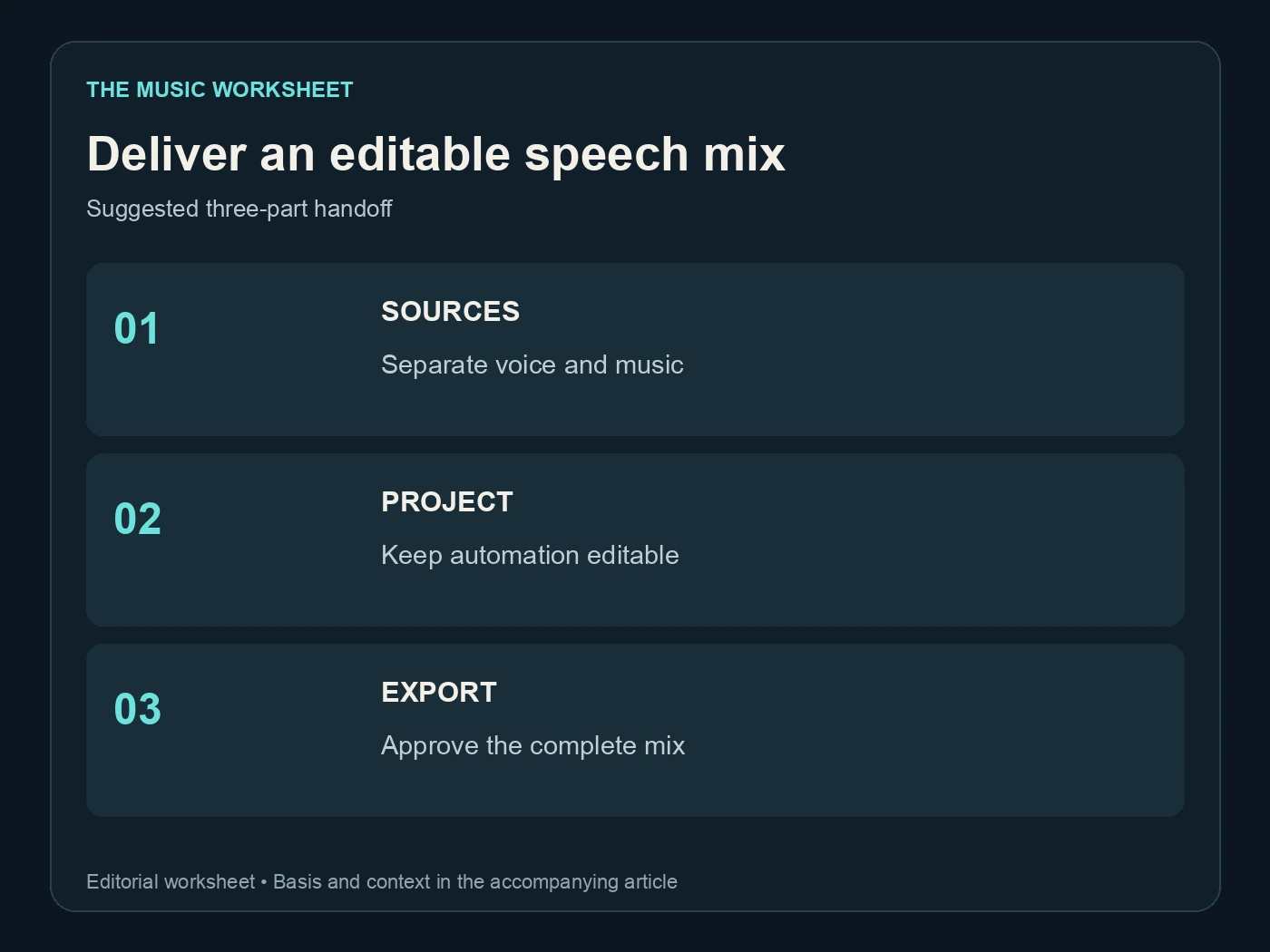
Deliver an editable speech mix. Suggested three-part handoff. See the article for the basis.
The suggested handoff has three items: separate sources, the editable mix and the approved export. Include the picture version if the timing follows a video. Avoid describing a fixed music file as “automatic ducking” once its level changes have already been rendered into the audio.
Use the export-settings guide and mastering checklist for the surrounding delivery checks. Reopen the completed file and listen from the first word through the ending. Confirm that the export includes both tracks and that no music-only preview was delivered by mistake.
If a later revision changes the narration, revisit the cue points. A useful mix is one that keeps the listener engaged with the message, and that balance can change even when the music itself remains exactly the same.
Related reading
- Suno export settings
- Stem splitters for AI music
- Suno V6 prompts
- WaveQuake review
- AI music mastering checklist
Frequently asked questions
What does music ducking mean?
It means reducing the music level while another signal, usually speech, needs attention. The music can return during appropriate gaps. You can create that movement manually with automation or use an effect driven by the narration track.
Is ducking the same as lowering the music volume?
A fixed volume change affects the entire track equally. Ducking changes the balance over time so the introduction, speech passages and pauses can have different levels. A simple fixed reduction may still be enough for an already restrained music bed.
Why is Auto Duck not responding to my voiceover?
Check the track selection and ordering described in Audacity's manual. The selected music is affected, while an unselected control track below it supplies the trigger. Then inspect the control signal and threshold using a short representative preview.
How much should I lower music under speech?
There is no universal reduction that suits every recording. Start with an intelligible voice, compare the bed at a comfortable level and adjust until the words remain clear. Documented effect defaults are starting values, not delivery standards.
Should I use automatic or manual ducking?
Manual envelopes give precise control over a few important cues. Automatic ducking can be efficient for longer narration, followed by review and local adjustments. Choose the method that remains easy to revise when the script or picture changes.
Can I duck music made with AI?
Yes. Once you have an audio recording, the level-editing principle is the same. Check the arrangement first, preserve the original source and review the processed music together with the narration rather than approving it only in isolation.